Co robić
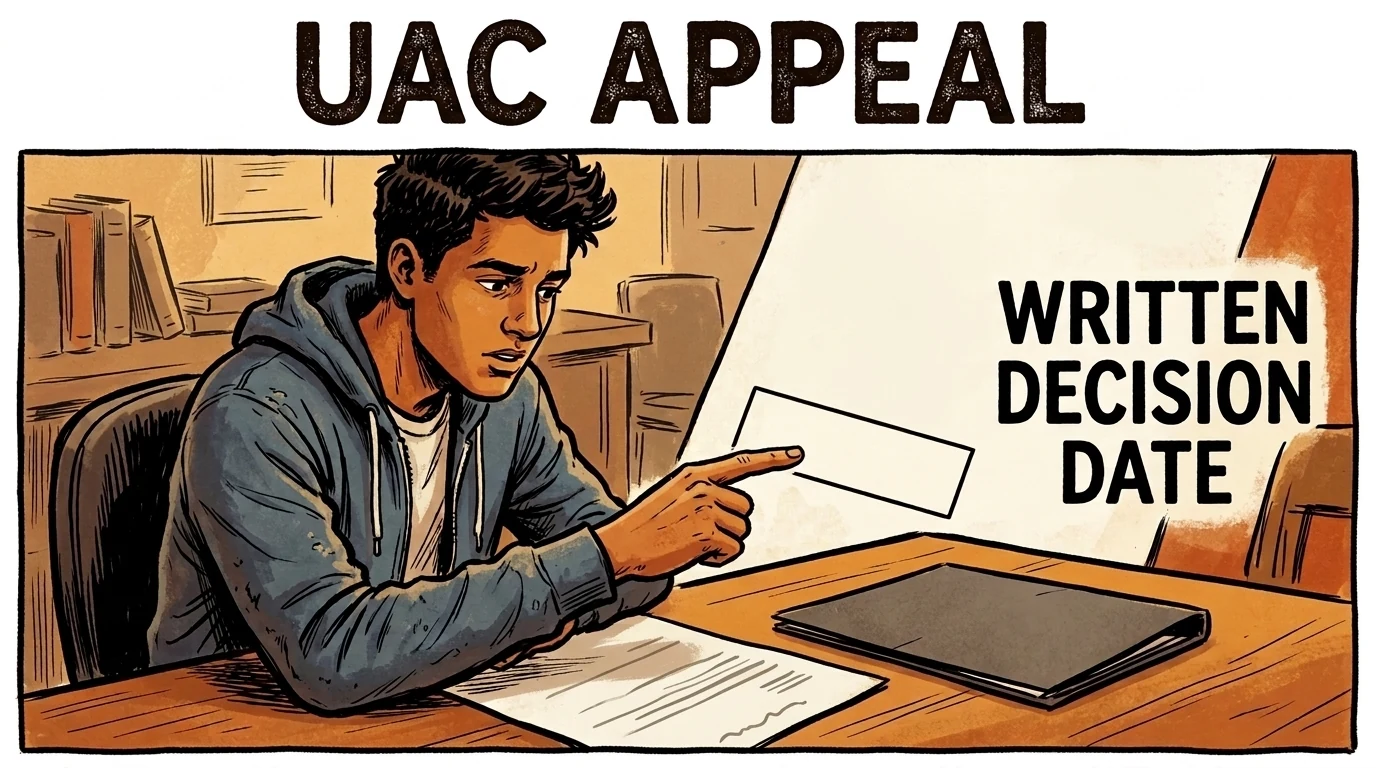
- Check the decision document date and the UAC route.
- Request an extension before expiry if needed.
- Ask about advisor accommodation or special consideration.
Calgary, Canada
Student guide · Task scope and procedure
Secure Copilot still needs instructor permission for coursework. The same IT page conflicts on Level 4 data, so that permission remains held. UAC appeals are received by 23:59 Mountain Time on the tenth Business Day after the written decision document’s date. Investigation and appeal advisor rules differ; speaking accommodations can be requested.
Poniższe wskazówki są po angielsku; oficjalne dowody zachowano w języku oryginału.
Pełne podsumowanie zasad dla studentów nie jest jeszcze dostępne; sprawdź zebrane stwierdzenia i źródła.
Secure Copilot still needs instructor permission for coursework. The same IT page conflicts on Level 4 data, so that permission remains held. UAC appeals are received by 23:59 Mountain Time on the tenth Business Day after the written decision document’s date. Investigation and appeal advisor rules differ; speaking accommodations can be requested.
Zebrano uzupełnienie: 2026-10-08 · Aktualne zastosowanie niepotwierdzone niezależnie
Podsumowanie jest obecnie dostępne po angielsku
Interpretacja serwisu
UCalgary tells students to check instructor permission before coursework use of secure Copilot Chat; misuse can still be misconduct. Ethical guidance requires consent before personal-data input, written IP permission, disclosure, output verification, and no AI decisions with serious consequences for people. These do not resolve the page’s conflicting Level 4 statements.
Zakres: students governed by the cited source and stage · Limited to the captured official source, stated conditions and relevant course/programme/stage. Retrieval does not certify exhaustive legal currency.
Zakres: students governed by the cited source and stage · university
Generative AI in Teaching and Learning
If you're a student, make sure to check with your instructor before using Microsoft Copilot Chat for your coursework. Even though UCalgary supports the secure version, using it in the wrong way could still be considered academic misconduct.
Explore AI in Teaching and Learning
Understanding Information Security at UCalgary
UCalgary classifies information into four security levels to ensure proper protection
Level 1 (public)
Safe to share with anyone (e.g. website content).
Level 2 (internal)
For UCalgary use only, but not highly sensitive (e.g. internal de-identified reports).
Level 3 (confidential)
Restricted to specific groups, unauthorized access could cause harm (e.g. personal information of students, faculty or staff).
Level 4 (restricted)
Highly sensitive information requiring strict security measures (e.g. credit card or personal health information).
For more details, visit the Information Security Classification Standard.
Ethical Use of Microsoft Copilot Chat
As you are using Microsoft Copilot Chat, it is important to understand the ethical guidelines around its use.
Some key guidelines include:
Use Microsoft Copilot Chat ethically, in accordance with applicable laws and UCalgary’s Acceptable Use of Electronic Resources and Information Policy and Information Asset Management Policy.
Obtain consent directly from individuals prior to inputting or disclosing their personal information into an AI tool. For questions, please contact foip@ucalgary.ca.
Ensure that the rights of creators are respected and that you have the appropriate written permission to input or disclose materials protected by copyright or other intellectual property rights into an AI tool. For questions, please contact copyright@ucalgary.ca.
Do not use an AI tool to make decisions that will have a serious impact on the rights of an individual, or that could have serious consequences for an individual’s life, education, career, dignity or autonomy.
Be transparent and make sure to disclose when you use AI to generate information, reports, summaries, images, etc.
Carefully review all generated content for accuracy before use.Zobacz oficjalne źródło ↗Zebrano: 2026-10-08 · 83–105
SHA-256: 39169eb70592e45adaaa35a79c96e84f9f256b327a9a0dd5b5e4d552bf3cfbba
Interpretacja serwisu
In an investigation meeting students receive pertinent evidence and can respond and present additional information. An advisor may accompany them with written notice at least two business days before the meeting and normally cannot speak. This investigation rule differs from UAC appeal-hearing advisor arrangements.
Student · Wymagane w tej procedurze
Co najmniej tyle dni przed posiedzeniem. Początek terminu, zakres i wyjątki sprawdź w podsumowaniu oraz oryginale.
Zakres: students governed by the cited source and stage · Limited to the captured official source, stated conditions and relevant course/programme/stage. Retrieval does not certify exhaustive legal currency.
Zakres: students governed by the cited source and stage · university
b) information on how to schedule a prompt meeting with the Dean in order to
provide the Student’s response to the allegation, and the consequences of failing
to do so;
c) a report of the pertinent evidence, information and particulars that the Dean is
aware of;
d) notice of the right to be accompanied by an Advisor;
e) a link to a copy of the Student Academic Misconduct Policy; and
f) notice that a decision may be made in the Student’s absence if the Student fails
to appear at a scheduled meeting.
4.14 If the Student decides to bring an Advisor, the Student will provide written notice of
the Advisor’s attendance to the Dean at least two (2) business days before the
meeting.
4.15 The Dean may ask a University employee to take notes during the meeting with the
Student. No Instructor who is teaching a course in which the Student is enrolled at
the time of the meeting may be present when the Student meets with the Dean.
4.16 During the meeting with the Dean the Student:
a) will have the opportunity to respond to any information contained in the
invitation to meet described at 4.13;
b) may present any relevant additional information; and
c) may be accompanied by an Advisor of their choice as long as they provide notice
in accordance with 4.14. The Advisor will not normally be allowed to speak
during the meeting.
4.17 The Dean may request additional information from the Instructor or the Student
before deciding whether the Student committed Academic Misconduct.
4.18 The Dean will review all information gathered and determine whether any additional
investigation is necessary. If the Dean decides that further investigation is necessary,
the Dean will advise the Student within five (5) business days of making that decision
and will include an estimate of the additional time required to complete theZobacz oficjalne źródło ↗Zebrano: 2026-10-08 · 210–238
SHA-256: 6a2d0c0f7db88539820608efb51ad70aa3660243baf0ad283171b34c71c5a476
Interpretacja serwisu
The policy lists educational requirements, warning, grade reduction/failure, restrictions, probation, suspension, expulsion or credential revocation as possible sanctions. Probation/suspension/expulsion do not apply to non-credit students. Selection considers intention, prior cases, seniority, personal circumstances and gravity. Educational attendance and written-warning sanctions can only be appealed alongside the responsibility finding.
Zakres: students governed by the cited source and stage · Limited to the captured official source, stated conditions and relevant course/programme/stage. Retrieval does not certify exhaustive legal currency.
Zakres: students governed by the cited source and stage · university
4.7 Sanctions for Academic Misconduct may include one or more of the following:
a) required attendance at academic integrity seminars, submission of reflective
essays, or similar educational requirements;
b) a written warning;
The electronic version obtained from www.ucalgary.ca/policies is the official version of this document. Page 4 of 6
Student Academic Misconduct Policy
c) grade reductions;
d) failure of the relevant assignment or course;
e) denial of access to non-credit courses or programs of study at the University;
f) Disciplinary Probation;
g) Suspension;
h) Expulsion; or
i) revocation of a credential obtained as a result of Academic Misconduct.
Sanctions (f), (g), and (h) are not applicable to Students in non-credit courses or
programs of study.
4.8 Determinations of the appropriate sanction for Academic Misconduct will consider
the Student’s intention, any other instance of Academic Misconduct committed by
the Student, the seniority of the Student, any relevant personal circumstances, and
the gravity of the offence in the context of the course and the Student’s program of
study.
4.9 All instances of Academic Misconduct will be tracked for administrative purposes. For
Students in credit programs, an indicator will be noted on the Student Record. This
indicator is not a disciplinary sanction. It does not appear on the Student’s Transcript,
and has no impact on the Student’s ability to continue in their course or program of
study.
4.10 Disciplinary Probation and Suspension will appear on a Student’s Transcript for the
duration of the sanction.
4.11 During the term of a Suspension, Students continue to be enrolled in a program, and
may register for courses scheduled to begin after the period of Suspension. A Dean
may impose requirements to be completed before a Student resumes Academic
Activities in the Dean’s faculty following a Suspension.
4.12 Expulsion and Revocation appear permanently on the Student’s Transcript.
4.13 The University may revoke any credential if, following an investigation, it determines
that the recipient committed Academic Misconduct which would have prevented the
credential being granted at the time it was. A permanent notation will appear on the
Student’s Transcript reflecting the revocation of the credential as a result of
Academic Misconduct.
Appeals
4.14 Students who have been found responsible for committing Academic Misconduct
may appeal the decision in accordance with the Student Misconduct and Academic
Appeals Policy. Students may also appeal sanctions imposed in response to Academic
Misconduct in accordance with the Student Misconduct and Academic Appeals Policy;
however, sanctions requiring attendance at educational seminars and sanctions that
are simply written warnings may only be appealed if the Student is also appealing the
decision that they committed Academic Misconduct.Zobacz oficjalne źródło ↗Zebrano: 2026-10-08 · 202–252
SHA-256: 7a517a482472c4150922b001827ca590ea0f2d8c326500de9c49952263fb7ce1
Interpretacja serwisu
For a UAC appeal, the Student Appeals Office must receive the appeal by 11:59 PM Mountain Time on the tenth Business Day after the date of the written decision document; the University timestamp proves compliance. A written extension request with the decision, reasons and requested length must arrive before expiry. This is a document-date clock, not a receipt-date clock. The FAQ separately asks students incapacitated throughout the appeal period to contact the Office; it does not promise automatic extension.
Student · Wymagane w tej procedurze
W podanym terminie. Początek terminu, zakres i wyjątki sprawdź w podsumowaniu oraz oryginale.
Zakres: students governed by the cited source and stage · UAC Procedure revised July 1, 2024; not a universal UAT or faculty clock. Exceptional incapacity FAQ remains separately applicable.
Zakres: students governed by the cited source and stage · university
4 Procedure Deadline for Appeal to the University Appeals Committee
4.1 An Appellant must submit an appeal to the University Student Appeals Office on or
before 11:59 PM (MT) on the tenth (10th) Business Day after the date of the
written document setting out the decision being appealed. Compliance with this
deadline will be proven by the University’s electronic date and time stamp as
affixed to an appeal at the time and date the appeal is received by the University
Student Appeals Office.
4.2 The University’s Student Appeals Office may decide to extend the deadline in
Section 4.1 if a request for extension is made by the Appellant prior to the
expiration of the deadline. Requests submitted after the deadline will not be
considered.
4.3 An Appellant requesting an extension of the deadline in Section 4.1, prior to the
expiration of the deadline, must submit the request in writing to the University
Student Appeals Office and with their request shall provide a copy of the decision
that is being appealed, the reasons for the request and the length of extension
being requested.Zobacz oficjalne źródło ↗Zebrano: 2026-10-08 · 103–118
SHA-256: 580ad72464441eee7175ec0db2e89858ca13e0b113e2af2056215f3d2b509a5b
h) “Business Days” means days that the University is open for business, excluding
weekends and holiday closures.
i) “Faculty Appeals Committee” means the committee constituted to hearZobacz oficjalne źródło ↗Zebrano: 2026-10-08 · 70–72
SHA-256: 580ad72464441eee7175ec0db2e89858ca13e0b113e2af2056215f3d2b509a5b
What is the deadline to submit an appeal? What if I need more time?
Please be aware that you must submit your appeal to the University Student Appeals Office within 10 business days from the date of the letter informing you of the decision that you wish to appeal. Please note that this deadline is strict.
If you need more time, you can request an extension by emailing appeals@ucalgary.ca and including the following information:
A copy of the decision you plan to appeal
The reason an extension is required
How long of an extension you require
Please note that extensions can only be requested beforeyour appeal deadline has passed. If you experienced circumstances that left you incapable of submitting an appeal or requesting an extension to your deadline for the duration of your 10 business day appeal period (e.g., personal incapacitation due to medical emergency), please reach out to the Student Appeals Office at appeals@ucalgary.ca.Zobacz oficjalne źródło ↗Zebrano: 2026-10-08 · 62–68
SHA-256: 072bbd7ec599b9e7e3b91d1ce141b44b68ec571783b02c3494da3eea9dd01118
Interpretacja serwisu
The service page offers a signed-in secure Copilot Chat version to UCalgary IT-account holders and limits the public version to Level 1 public information. However it says secure Chat can accept Levels 1–4 here while its FAQ says Level 4 must never enter any AI. Level 4 permission is held pending authoritative clarification, and no sensitive-data permission is inferred from the account alone.
Zakres: students and staff under the captured service conditions · Unresolved internal source contradiction; access retained, Level 4 data permission held.
Zakres: students and staff under the captured service conditions · university
Microsoft Copilot Chat
Copilot Chat is a generative artificial intelligence (AI) tool created by Microsoft. It can be used to brainstorm and get answers to questions, organize and summarize documents and generate text, images and more.
There are two versions of Copilot Chat:
a secure version is available for anyone with a UCalgary IT account. To keep your data protected, you must sign in using your UCalgary credentials. You’ll know you’re using the secure version if you see the green shield (see images below). With the secure version of Microsoft Copilot Chat, you can safely enter level 1, 2, 3 or 4 information.
the public version can only be used for public information classified as level 1.
You can access Microsoft Copilot Chat in three ways: in the Microsoft Edge browser, where Copilot Chat is built-in, by visiting the Copilot Chat website in any web browser, or by using the desktop icon on your managed UCalgary device.
Sharing confidential or personal information in any chatbot or automated system comes with risks. Users must use the secure version of Microsoft Copilot Chat when working with personal information or business information classified as Level 3 and 4. Using the secure version of Microsoft Copilot Chat offers better security, privacy and protection of data. It also complies with UCalgary policies and standards.
Personal or business information classified as Level 3 or 4 must not be entered into any other large language model (AI tool) unless it has been reviewed and approved through the Software Acquisition Process. This helps ensure appropriate security, privacy, and compliance with institutional policies. Software / Application Purchase, Acquisition and Renewal Scan be initiated via UCalgary Support.
Sign in to secure Copilot Chat
Copilot Chat in Edge browser: the green shield means you are using the secure version
Copilot Chat website: the green shield means you are using the secure versionZobacz oficjalne źródło ↗Zebrano: 2026-10-08 · 72–82
SHA-256: 39169eb70592e45adaaa35a79c96e84f9f256b327a9a0dd5b5e4d552bf3cfbba
Is Copilot Chat safe and secure?
While additional risks may arise if you intend to input, disclose or otherwise provide confidential or personal information into a software or other automated system, using the secure version of Copilot Chat that requires you to login offers better security, privacy and protection of data.
The public version of Copilot Chat does not ensure your data is secure. This includes not knowing how information is being stored, shared, and used by each platform’s learning algorithm, potentially putting sensitive UCalgary data at risk. It also raises concerns regarding the potential for inaccuracy, bias or misuse, and a lack of transparency regarding the ownership or management of the platform.
What about using other AI tools?
UCalgary advises caution when using other generative AI tools as it is not certain how these tools are storing, sharing or using inputted information.
Only level 1 (public) information should be used in other AI chatbots, as they don’t offer the same protections as the secure version of Microsoft Copilot Chat. With the secure version of Microsoft Copilot Chat, you can safely enter level 1, 2, 3 or 4 information.
Level 4 information should never be entered into any AI tool or chatbot.
If you want to acquire or use other generative AI platforms, please follow the Supply Chain Software Acquisition process.
Please be aware: as the end-user/requestor, you are responsible for ensuring that the chatbot you use will be collecting, storing or managing information securely and in accordance with UCalgary’s policies and procedures. Please also refer to the Legal Services Guidelines for the Software Acquisition Process for more information on privacy and information security best practises.Zobacz oficjalne źródło ↗Zebrano: 2026-10-08 · 110–118
SHA-256: 39169eb70592e45adaaa35a79c96e84f9f256b327a9a0dd5b5e4d552bf3cfbba
Interpretacja serwisu
At an oral UAC appeal each party can have one advisor who normally does not address the panel. Give advisor details no later than three Business Days before hearing. A student can request an advisor speak as an accommodation/special consideration; the panel chair decides. Do not turn the normal speaking restriction into an absolute ban.
Student · Wymagane w tej procedurze
Nie później niż tyle dni przed posiedzeniem. Początek terminu, zakres i wyjątki sprawdź w podsumowaniu oraz oryginale.
Zakres: students governed by the cited source and stage · Limited to the captured official source, stated conditions and relevant course/programme/stage. Retrieval does not certify exhaustive legal currency.
Zakres: students governed by the cited source and stage · university
Advisors
4.27 An Appellant and a Respondent are expected to speak on their own behalf in an
oral Appeal Hearing, including to provide their evidence, to respond to questions,
and to ask questions of the other party.
4.28 An Appellant and a Respondent may be accompanied by one Advisor each.
4.29 An Advisor is not a Witness. An Advisor provides assistance and support to an
Appellant or Respondent during an oral Appeal Hearing, and does not normally
address the University Appeals Committee panel or the other party.
4.30 If either an Appellant or a Respondent plans on having an Advisor attend an oral
Appeal Hearing, that party must provide the name and occupation or relationship
of the Advisor to the Appellant or Respondent to the University Student Appeals
Office as soon as possible, but no later than three (3) Business Days before the
Appeal Hearing.
4.31 An Appellant who wishes to have an Advisor speak on their behalf should submit
their request as part of their appeal and as a request for accommodation or special
consideration. However, requests following the issuance of the permission to
appeal decision, or requests from the Respondent to have an Advisor speak on
their behalf, may still be made to the University Student Appeals Office no later
than three (3) Business Days before the start of the oral Appeal Hearing.
4.32 The University Student Appeals Office will forward any requests to the University
Appeals Committee panel chair for a decision.Zobacz oficjalne źródło ↗Zebrano: 2026-10-08 · 333–353
SHA-256: 580ad72464441eee7175ec0db2e89858ca13e0b113e2af2056215f3d2b509a5b
Interpretacja serwisu
The appeals FAQ invites requests for accommodations/special consideration, including Student Accommodation Policy arrangements, Indigenous protocols, more than one advisor and extra breaks. Contact the Student Appeals Office about needs; these are request options, not guaranteed approval of every preference.
Zakres: students governed by the cited source and stage · Limited to the captured official source, stated conditions and relevant course/programme/stage. Retrieval does not certify exhaustive legal currency.
Zakres: students governed by the cited source and stage · university
What kind of accommodations are available for appeal hearings?
As part of the Appeal Submission Form, you will be asked to indicate if you require any accommodations or special consideration should your appeal proceed to a hearing. Examples of accommodations or special considerations that may be requested include:
Accommodations that a student receives under the Student Accommodation Policy
Incorporation of Indigenous cultural protocols, including having an Elder or Traditional Knowledge Keeper in attendance
Attendance of more than one support person (Advisor)
Extra breaks scheduled into the hearing agenda (please note that all parties are welcome to request breaks as needed during the course of the hearing)
The above list is not exhaustive. Please contact the Student Appeals Office (appeals@ucalgary.ca) if you have any questions or concerns about possible accommodations for your hearing.Zobacz oficjalne źródło ↗Zebrano: 2026-10-08 · 162–168
SHA-256: 072bbd7ec599b9e7e3b91d1ce141b44b68ec571783b02c3494da3eea9dd01118
Opublikowane uzupełnienia oparte na źródłach. Podsumowania angielskie i oryginalne cytaty są oddzielone od sprawdzonego rejestru. Możliwe procedury i wyniki nie oznaczają automatycznych kar za AI. Aktualne zastosowanie nie zostało niezależnie potwierdzone; sprawdź zakres i wersję źródła.
Porównano z zapisanym tekstem; tłumaczenie nieoficjalne
Skróty pozwalają porównać zapisane teksty; nie potwierdzają ich aktualności ani niezmienności. Tematy nie tworzą obowiązkowej sekwencji.
Dostęp do narzędzia nie oznacza zgody na użycie go w ocenianej pracy. Sprawdź zasady zadania, uprawnionych użytkowników i ograniczenia danych.
Zapis archiwalny; sprawdź aktualny dostęp w oficjalnym źródle. Informacje o dostępie i cytaty zachowują język oryginału.
A secure Microsoft Copilot Chat version is available to everyone with a UCalgary IT account.
Sign in using UCalgary credentials.
Not specified by the cited source.
Oryginalny cytat
A secure version is available for anyone with a UCalgary IT account. You must sign in using UCalgary credentials. UCalgary supports the secure version.Reviewed record
Zweryfikowane stwierdzenia: 7
Academic Integrity
Wartość znormalizowana: graduate_guidelines_require_authorization_and_disclosure
Oryginalny dowód
Dowód 1Students should obtain written, unambiguous authorization (from their supervisor or course instructor if not included in the course outline) prior to the planned use of GenAI tools in graduate work. Students must disclose the use of GenAI tools in their graduate study work.
Academic Integrity
Wartość znormalizowana: genai_use_should_follow_academic_integrity_and_privacy_requirements
Oryginalny dowód
Dowód 1The use of generative AI tools by students, faculty, or staff should adhere to our existing academic integrity policies. When using generative AI, instructors must adhere to privacy laws and ensure student data is handled accordingly.
Academic Integrity
Wartość znormalizowana: continuing_education_genai_support_not_replacement_check_instructor_policy
Oryginalny dowód
Dowód 1In Continuing Education courses, GenAI tools should be used to support your work, and not to replace your own thinking and learning. Please check your course outline and review your instructor's policy on GenAI usage. Using such tools when expressly forbidden may constitute academic misconduct.
Nauczanie
Wartość znormalizowana: teaching_guidance_supports_instructor_discretion_and_clear_expectations
Oryginalny dowód
Dowód 1The University of Calgary supports the use of generative AI in teaching and learning. Individual educators and course instructors should determine if and how generative AI will be incorporated into their course design, activities and assessments.
Prywatność
Wartość znormalizowana: graduate_students_accountable_for_genai_outputs_and_privacy_risks
Oryginalny dowód
Dowód 1Graduate students maintain full accountability for all work produced with the aid of GenAI. Graduate students are expected to be aware of how the use of GenAI can lead to potential breaches of privacy, confidentiality and intellectual property rights.
Security Review
Wartość znormalizowana: secure_copilot_required_for_sensitive_information_other_llms_need_review
Oryginalny dowód
Dowód 1A secure version is available for anyone with a UCalgary IT account. To keep your data protected, you must sign in using your UCalgary credentials. Personal or business information classified as Level 3 or 4 must not be entered into any other large language model unless it has been reviewed and approved through the Software Acquisition Process.
Ai Tool Treatment
Wartość znormalizowana: {"tool":"microsoft_copilot","rawToolName":"Microsoft Copilot Chat","description":"A secure Microsoft Copilot Chat version is available to everyone with a UCalgary IT account.","howToObtain":"Sign in using UCalgary credentials.","costToUser":"Not specified by the cited source.","availability":"allowed","endorsementType":"officially_endorsed"}
Oryginalny dowód
Dowód 1A secure version is available for anyone with a UCalgary IT account. You must sign in using UCalgary credentials. UCalgary supports the secure version.
Widok lokalny only
A secure version is available for anyone with a UCalgary IT account. You must sign in using UCalgary credentials. UCalgary supports the secure version.
Source record
Źródła: 5
teaching-learning.ucalgary.ca
grad.ucalgary.ca
conted.ucalgary.ca
it.ucalgary.ca
it.ucalgary.ca
Citation: University AI Policy Tracker. "University of Calgary AI Policy Tracker record." Last checked July 19, 2026. https://eduaipolicy.org/universities/university-of-calgary
Original university source language remains canonical. This tracker is not an official university statement.
Otwórz dziennik zmianSaved from University AI Policy Tracker. This record summarizes the cited sources; it is not an official university statement or assessment permission. Source and review dates are listed above. Hashes identify retained content, not authorization.