Perkara yang perlu dilakukan
- Follow the module’s rule and disclose when required.
- Prepare evidence and request an appropriate supporter.
- Match the appeal to the relevant Stage 1 or 2 outcome.
Glasgow, United Kingdom
Student guide · Task scope and procedure
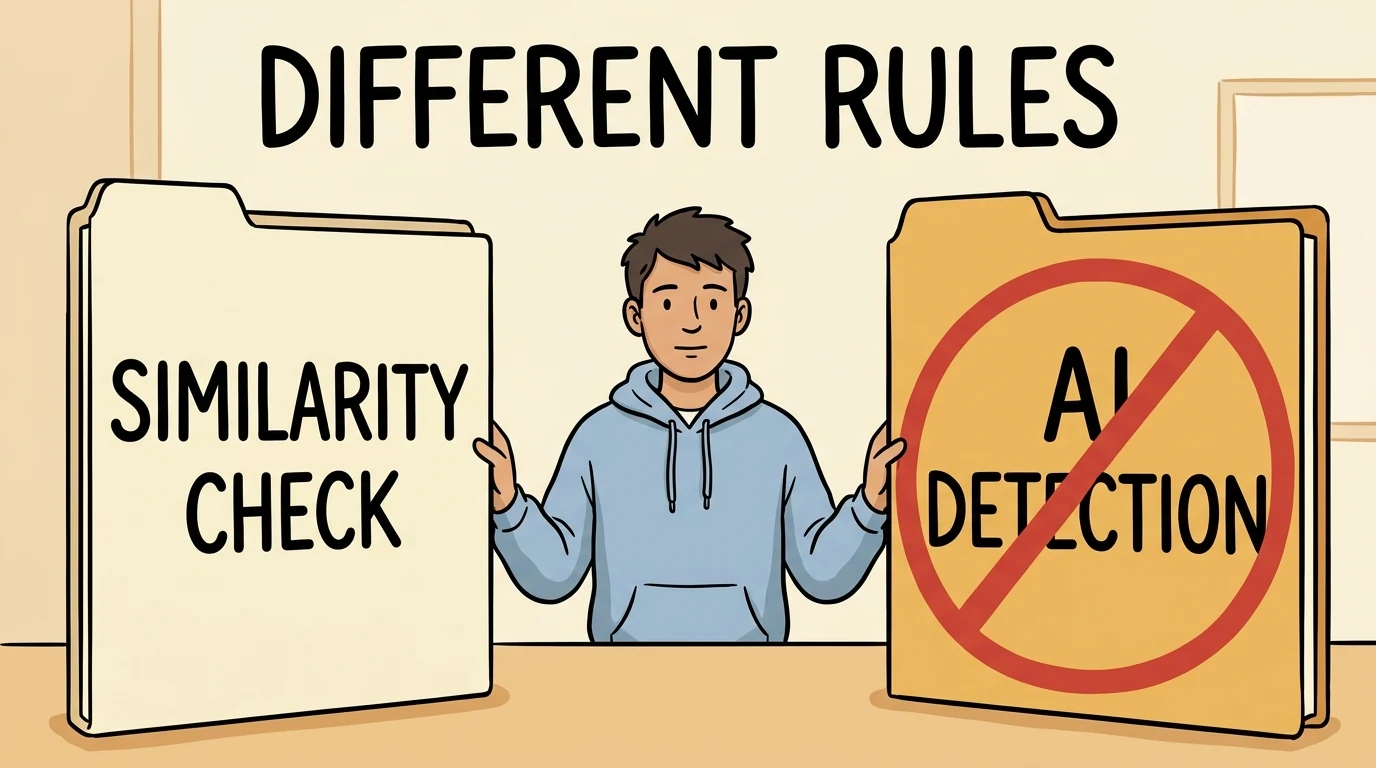
The formal procedure permits similarity checking but prohibits AI detection tools for determining unauthorised GenAI use and uploading student work to them. Check each module’s rules. Stage 1 and Stage 2 appeals have separate recipients and receipt triggers. University-login Copilot Chat differs from the extra-cost integrated staff licence; data policies still apply.
Panduan dasar di bawah adalah dalam bahasa Inggeris; bukti rasmi dikekalkan dalam bahasa asal.
Ringkasan lengkap peraturan pelajar belum tersedia; rujuk pernyataan dan sumber yang dikumpulkan.
The formal procedure permits similarity checking but prohibits AI detection tools for determining unauthorised GenAI use and uploading student work to them. Check each module’s rules. Stage 1 and Stage 2 appeals have separate recipients and receipt triggers. University-login Copilot Chat differs from the extra-cost integrated staff licence; data policies still apply.
Tambahan dikumpulkan: 2026-10-08 · Pemakaian semasa belum disahkan secara bebas
Ringkasan kini tersedia dalam bahasa Inggeris
Tafsiran laman
Strathclyde directs students to programme/module handbooks and Myplace for each assessment’s AI rules and to follow the lecturer’s guidance. Misuse, misleading use, required nondisclosure and explicitly prohibited use can lead to the Academic Misconduct Procedure; neither a learning FAQ nor tool access is universal permission.
Skop: Students in the cited programme/course/stage only · Only the captured source, version, audience and conditions; no exhaustive currency certification.
Bukti pengesanan · Sokongan dan penyesuaian
Skop: Students in the cited programme/course/stage only · university
You should be aware that there are risks associated with using any Gen-AI tool, especially those that they are signing up to without the University’s explicit knowledge and support. Guidance on using Gen-AI tools safely and responsibly and some critical questions about using Gen-AI are provided in the additional resources section of this page. You should read this guidance before using any Gen-AI tools in their learning and assessment tasks.
Finally, you should note that the recent growth in the availability of (often) free to access Gen-AI tools may not last forever, and that charges for use and the disappearance of tools and services are always possible. This means that any dependency on these tools or services that is built up now could be damaging to your learning and development in the future.
Does the use of Gen-AI compromise my academic integrity or mean that I am cheating?
Not necessarily, but you should always ensure that you are aware of the expectations of the module or programme leader around the use of Gen-AI and understand what is required of you in any given learning or assessment task. Consult your module handbook and Myplace site for guidance and ask for clarification if you need it.
Can Gen-AI help me to learn?
Gen-AI tools, used carefully and responsibly, could be helpful in a wide range of learning contexts. Gen-AI tools may help you understand some concepts, or create study materials, summarise complex topics, and so on, but you should always be aware of the fact that Gen-AI tools can be biased, inaccurate and misleading in their outputs. Ensure that you are always thinking critically about information you know has been produced using Gen-AI and fact check anything you intended to rely on. You also need to be sure that you are not undermining the learning process. Follow the guidance that your module or programme leader has provided for you, they will have thought carefully about the learning or assessment task and will know whether the use of Gen-AI is (or isn’t) appropriate in that context.
Can I use Gen-AI to help me with writing and creating other content I will submit for an assessment?
The work you submit for assessment should always be your own. Depending on the context, the use of Gen-AI may be permitted, but not always, so you should ensure that you know what is allowed. If you are not sure, ask your module or programme leader for guidance.
While Gen-AI tools can write and create other content quickly, and sometimes this content is impressive, there can be significant flaws in these outputs, including (among other things) inaccuracies in information, harmful biases, and issues with focus and structure. You should not assume that Gen-AI content is perfect or even good enough or that the act of creating it has helped them to learn. Staff guidance on the use of these tools and services to create content in relation to a particular learning or assessment task should be followed. This guidance reflects the staff members’ experience and expertise in the subject you are studying and has been given to support students’ learning and development.
What is meant by thinking critically about Gen-AI output?
Gen-AI tools and services are prone to offering responses which contain inaccurate or biased or misleading information. Gen-AI tools can also generate fake references that look genuine and may even contain some correct details such as real author names or journal titles. Always check the original source to verify outputs. Do not simply accept Gen-AI outputs as fact or authority.
Make sure that you question assumptions and claims; fact-check key points; seek out diverse perspectives; evaluate the strengths and weaknesses of arguments, and think about how the information has been presented, including the structure and tone of the writing. This critical thinking requires subject or ‘domain’ knowledge which you will be developing through your studies and will help you ensure that you continue to develop a well-rounded understanding of the material you are studying.
In short, do not allow any Gen-AI tools or services to think for you or create work which isn’t yours or the result of your efforts.
Is it ethical to use Gen-AI?
Before using Gen-AI tools or services, there are a number of ethical questions you should consider. Six of the most important questions are outlined in the Essential Questions to Consider document below. The University takes a principled approach to the use of Gen-AI in all Learning and Teaching contexts. These principles can be viewed below in the Principles document. All uses of Gen-AI by students (and staff) should align with these Principles. Ultimately, the question of how ethical it is to use Gen-AI tools and services will depend on a range of contextual factors. In general, however, use of Gen-AI when it undermines important learning and assessment outcomes, when it might be considered unnecessary or frivolous, when it is used to mislead or deceive in any way, not disclosing the use of Gen-AI when this is required, and in any circumstances where the module or programme leader has prohibited its use could be unethical.
What are the consequences of unethical Gen-AI use?
Unethical use of Gen-AI undermines your learning and could even contribute to the erosion of trust and compromise the quality of the higher education system. Where the misuse of Gen-AI has been identified, the University’s Academic Misconduct Procedure will be followed, which could lead to a range of penalties for any individual who is found to have committed academic misconduct. Ensure that you follow assessment instructions and University policies at all times.
Is my data safe and secure when I use Gen-AI tools and services?
Gen-AI tools may collect user data. Read privacy policies carefully and avoid sharing Personal, sensitive or copyright protected information. Make sure you are not giving any tools or services access to restricted or copyright protected content including materials provided to you by the University (for example lecture slides, assessment questions or feedback on assessment, library resources or research papers).
What are the legal considerations with Gen-AI?
Gen-AI models can generate content that may infringe upon existing intellectual property rights, such as copyright. To ensure that you do not do anything unlawful, you should follow the advice and guidance provided to you by your Department and the University. This Generative AI and Copyright libguide provides an overview of copyright and privacy issues.
What are the university’s policies on using Gen-AI?
The University’s guidelines on academic integrity can be found on the website. You should check this guidance regularly and especially whenever you are completing a new piece of work involving Gen-AI, as it is a rapidly evolving area, and the guidance may have changed since you last checked it. You should also check the rules and guidance for each individual assessment as these may vary. Details will be published in programme and module handbooks and Myplace pages.Lihat sumber rasmi ↗Dikumpulkan: 2026-10-08 · 65–87
SHA-256: 668e337707508c91068e18176f0c9042bab8d50571da8ef2510f630888e2263f
Tafsiran laman
For Stage 1 the Misconduct Officer should send allegations, evidence, possible penalties and accompaniment/evidence rights at least five working days before interview. Students may identify witnesses and submit evidence; this is notice preparation time, not an appeal filing deadline.
Institusi · Patut dihantar
Sekurang-kurangnya bilangan hari ini sebelum pendengaran. Semak titik mula, skop dan pengecualian dalam ringkasan serta teks asal.
Skop: Students in the cited programme/course/stage only · Only the captured source, version, audience and conditions; no exhaustive currency certification.
Bukti pengesanan · Sokongan dan penyesuaian
Skop: Students in the cited programme/course/stage only · university
46. The Misconduct Officer should contact the Reported Student with a proposed date and time for
the interview at least five working days in advance of the interview date. The student will be
notified of/provided with:
a. The details of the alleged offence;
b. The evidence under consideration, including any witness statements;
c. Information relating to penalties which may be imposed if the alleged offence is admitted
or found to be proven;
d. Their right to be accompanied (or represented in their absence) by a Supporter and/or
Representative;
e. Their right to submit evidence to the Misconduct Officer in advance of the interview;
f. Their right to submit a written statement in response to the alleged offence(s) to the
Misconduct Officer in advance of the interview;
g. Their right to identify witnesses in support of their case;
h. Confirmation that questions investigating authorship will be asked (if relevant);
i. Confirmation of the name and job role of any other members of staff who will attend the
interview;
j. Confirmation of whether any Professional Advisers of the University will attend the
interview;
k. A link to this Academic Misconduct Procedure.Lihat sumber rasmi ↗Dikumpulkan: 2026-10-08 · 428–447
SHA-256: 46cb042adc8c31ee2f686833485ab8a677ba6a1ee14c53be267028843337ed16
Tafsiran laman
Students whose disability/condition affects participation should disclose it with relevant evidence to the Misconduct Officer or Senate Office for an assessed reasonable adjustment. Language/communication support may be requested for Stage 1 interviews and Stage 2 hearings. This is procedural support, not automatic permission to use AI in assessment.
Skop: Students in the cited programme/course/stage only · Only the captured source, version, audience and conditions; no exhaustive currency certification.
Bukti pengesanan · Sokongan dan penyesuaian
Skop: Students in the cited programme/course/stage only · university
22. Reported Students who consider they have a disability or condition that affects their ability to
engage with the disciplinary processes under this Procedure should disclose this to the
Misconduct Officer or Senate Office, as appropriate, with relevant evidence provided to allow for
an assessment and, where found applicable, for a reasonable adjustment to be made during the
handling of the case. Advice and support can be sought from the Disability & Wellbeing Service.
23. A Reported Student who requires language or communication support, for example British Sign
Language or spoken language translation, can request this for Stage 1 interviews and Stage 2
Senate Discipline Committee hearings conducted under this Procedure. Requests must beLihat sumber rasmi ↗Dikumpulkan: 2026-10-08 · 225–233
SHA-256: 46cb042adc8c31ee2f686833485ab8a677ba6a1ee14c53be267028843337ed16
50. Reported Students may submit evidence to the Misconduct Officer, either in advance of the
interview or at the interview. Guidance for students on producing evidence for consideration at
any stage of this Procedure is available online and should be utilised by Reported Students
when they are preparing a submission of evidence
51. The Reported Student may be accompanied to the interview by a Supporter and/or a
Representative, (see Table of Roles in Annex 1), of the Reported Student’s choice. As stated in
the Table of Roles, the Representative may address the Misconduct Officer on the Reported
Student’s behalf if requested to do so by the Reported Student. The Supporter has no formal
role in the meeting, although they will be invited to state their name and relationship to the
Reported Student. Further information on these roles is set out below:
a. Supporters and Representatives are expected to conduct themselves in a polite and
respectful manner throughout the proceedings;
b. Supporters are not expected to answer questions on behalf of the Reported Student or
make statements to the Misconduct Officer. They may ask for clarification on any points
discussed during the interview, when invited to do so by the Misconduct Officer;
c. Supporters and Representatives are not permitted to ask questions of witnesses, unlessLihat sumber rasmi ↗Dikumpulkan: 2026-10-08 · 468–486
SHA-256: 46cb042adc8c31ee2f686833485ab8a677ba6a1ee14c53be267028843337ed16
Tafsiran laman
Microsoft 365 Copilot Chat is offered to all students and staff under University Microsoft licensing, with enterprise protection contingent on University login. Only information permitted in the University environment and policies may be used; personal data needs a DPIA and confidential information requires assessed safeguards. This is a source-reported service condition, not an account test.
Skop: Students in the cited programme/course/stage only · Only the captured source, version, audience and conditions; no exhaustive currency certification.
Bukti pengesanan · Sokongan dan penyesuaian
Skop: Students in the cited programme/course/stage only · university
The University offers students and staff access to a secure artificial intelligence (AI) chat tool, from the suite of Copilot tools provided as part of its Microsoft licensing agreement. This tool is called Microsoft 365 Copilot Chat (Chat 365). While using AI tools it is essential to use them in an appropriate and ethical way some guidance on the use can be found here and for guidance on Gen AI and Copyright: . Guidance on the use of of Generative AI in Learning, Teaching, and Assessment can be found here
Copilot 365 chat vs Copilot 365
Copilot 365 chat
Copilot 365
Microsoft 365 Copilot Chat
Microsoft Copilot for Microsoft 365
Available to all staff and students
Available to individual staff via licence, at additional cost
Ask questions or request help across your entire organization’s data—emails, files, chats, and more—in one place
Built into apps like Word, Excel, Outlook, and Teams to help you work by creating content, summarizing information, and automating tasks directly within those apps
Acts like a central hub for broader questions and insights across your work.
Copilot 365 can act as your assistant for specific tasks inside each app.
Covered by University’s Enterprise Data Protection agreement
Covered by University’s Enterprise Data Protection agreement
Security of Protection
Unlike other AI tools, Chat 365 is protected by the University’s Enterprise Data Protection agreement with Microsoft (so long as you are logged into your University account when you access it), ensuring safe usage of University data. This means two things.
When you ask a question of Chat 365 it asks the Internet and the AI’s internal data. Lt can also use any data or documents you have access to on the University’s Microsoft services (Teams, SharePoint, Outlook etc.), to formulate its response.
It also means that the data in Microsoft Chat 365 – about the prompts you use to question it, the responses it generates and any documents that you upload into your prompt will not be available to any unauthorised users. Instead it remains within the University’s Microsoft service.
More information is available at: Enterprise data protection in Microsoft 365 Copilot and Microsoft 365 Copilot Chat | Microsoft Learn
This does mean that you are safe to use University information in your questions and it will not leave the University. It also means you must take care to ensure the answers are appropriate before using them further, as it may include confidential data that only specific individuals should have access to (you being one of them). You should only use information in your questions (or the documents uploaded with them) that is permitted to be stored on the University’s environment and inline with data policies. If you are using personal data in an AI tool, you should do a DPIA beforehand to ensure that any use of personal data complies with data protection legislation. Similarly if you are using confidential information in an AI tool you should ensure that you understand and assess the risks of uploading such data, and ensure that the data is appropriately managed and secured.
How to access Chat 365
Chat 365 can be accessed via:
Online by logging into Microsoft Copilot online.
Via the Microsoft Copilot App on your mobile device on your mobile device (available for download in your device App store)
Through many Microsoft Products automatically – e.g. Edge Browser, Edge – by clicking on the Microsoft Copilot Icon
Always ensure you are logged in with your University Account to ensure you are within our Enterprise Data Protection’s environment. Chat 365 . You must not use personal versions of Copilot of University business, as the appropriate contractual clauses and protections will not be in place.Lihat sumber rasmi ↗Dikumpulkan: 2026-10-08 · 60–85
SHA-256: cc183c98e83fb7cc126dc257041459f8d023c00377ffbf438482d0fcf32ad2a0
Tafsiran laman
Integrated Copilot 365 is a separate additional-cost staff licence requested through departments. The page states a £20 per-person monthly charge from August 2026, subject to change. It is not a student Chat entitlement or a student fee requirement.
Skop: Staff and departments requesting an integrated Copilot 365 licence · Only the captured source, version, audience and conditions; no exhaustive currency certification.
Bukti pengesanan · Sokongan dan penyesuaian
Skop: Staff and departments requesting an integrated Copilot 365 licence · university
Additional AI tools for staff
While Chat 365 is available to all students and staff, some staff members will soon be able to gain access to enhanced AI capabilities within Microsoft Office. This advanced functionality is referred to as Microsoft 365 Copilot (Copilot 365) you can view the differences here.
Both Chat 365 and Copilot 365 utilise the Microsoft Prometheus model, which is built on OpenAI’s GPT-5. These tools offer access to technology similar to GPT-5, while remaining within the University’s Enterprise Data Protection framework with Microsoft, allowing a protected environment in which to handle safe handling of University data .
Copilot 365 Licensing
Copilot 365 is also covered by the Enterprise Data Protection agreement, these licenses incur an extra cost for the University .
About Chat 365
Chat 365 is a secure, AI chat experience included with many Microsoft 365 business subscriptions and is based on ChatGPT. It allows users to interact with a powerful AI model, based on information from the web. You can use it to summarise documents you upload, generate images, or get general information, all with enterprise data protection.
About Copilot 365
Copilot 365 is more comprehensive and deeply integrated AI assistant that costs an additional fee per user per month. It includes all the features of Chat 365 but improves the benefits by connecting to the organisation. This means it can access and process your University emails, meetings, chats, and documents stored in SharePoint, OneDrive, and Teams. This integration is the key difference, enabling Copilot 365 to perform highly specific and personalised tasks, such as summarising meetings, drafting a business proposal based on a specific set of documents, or analysing data within Excel.
Essentially Chat 365 is a tool for general AI assistance whereas Copilot 365 more of a co-worker, working directly within your Microsoft 365 apps and leveraging your data to help you be more productive.
We will be introducing a process to request this additional licences through the faculties at £20 per person per month (subject to change).
Accessing Copilot 365
Departments can request a license for Copilot 365 at an additional cost (see below – How to request Copilot 365). This tool is also covered by the University’s Enterprise Data Protection agreement, meaning that University data is held in a secure environment.
Copilot 365 can be accessed via:
Online by logging into Microsoft Copilot online.
Via the Microsoft Copilot App on your mobile device (available for download in your device App store)
Through many Microsoft Products automatically – e.g. Edge Browser, Edge – by clicking on the Microsoft Copilot Icon
No matter how you access Copilot 365 you must always ensure you are logged in with your University Account! This will ensure that you are within our Enterprise Data Protection’s environment. You must not use any personal versions of Copilot for University business, as otherwise the appropriate contractual clauses and protections will not be in place. Use of personal versions will put University information at risk and could result in a data breach.
More information on the use of Copilot can be found at the Copilot learning hub
Comparing the two tools
Microsoft provides a comparison of Chat 365 and Copilot 365 on its Learn platform.
How to request access to Copilot 365
From the beginning of August 2026 there will be a charge of £20 per person per month using Copilot 365.Lihat sumber rasmi ↗Dikumpulkan: 2026-10-08 · 87–109
SHA-256: cc183c98e83fb7cc126dc257041459f8d023c00377ffbf438482d0fcf32ad2a0
Tafsiran laman
Stage 1 may dismiss allegations not established on the balance of probabilities. If upheld, penalties can include support recommendations, warning or reduced marks up to zero with or without resubmission. Repeated cases and outcomes affecting progression may require Stage 2; none is an automatic AI penalty.
Skop: Students in the cited programme/course/stage only · Only the captured source, version, audience and conditions; no exhaustive currency certification.
Skop: Students in the cited programme/course/stage only · university
54. In reaching their conclusion, the Misconduct Officer may decide to dismiss the allegation on the
grounds that it has not been possible to establish, on the balance of probabilities, that the
Academic Misconduct occurred. Such a finding will be reached in the following circumstances:
a. A lack of demonstrable evidence that proves, on the balance of probabilities, that the
alleged Academic Misconduct took place as reported;
b. Parties involved have offered conflicting versions of events and are found by the
Misconduct Officer to be reliable witnesses, making it impossible to arrive at a
conclusion.
55. If the Misconduct Officer upholds the allegation of Academic Misconduct on the grounds that
either the evidence obtained demonstrates that it is likely that Academic Misconduct has
occurred, and/or the Reported Student admits responsibility for the Academic Misconduct they
are accused of, they will impose one or more of the following penalties:
a. Any of the recommendations set out in paragraphs 35 above, for Early
Intervention/Caution;
b. Reported Student issued with a written warning, setting out terms for the student’s
continued registration at the University of Strathclyde and timelines within which any
specific actions must be taken;
c. A reduction of the mark assigned to the assessment/s in question is applied, up to and
including awarding a zero with no right to resubmit;
d. A reduction of the mark assigned to the assessment/s in question is applied, up to and
including a zero with the right to resubmit, either as a first or second attempt;
56. A Misconduct Officer may also refer a case for consideration under Stage 2 of the Procedure.
Referral to Stage 2 will normally occur in instances where there is a repeated offence, with
previous offence(s) having been formally investigated under Stage 1. Referral to Stage 2 will
also be required where the penalty that the Misconduct Officer determines should be imposed
has/could have an impact on a student’s final outcome or opportunity to progress as planned in
their studies. Misconduct Officers are empowered by Senate to use their judgement to
determine whether a case should be referred to Stage 2.Lihat sumber rasmi ↗Dikumpulkan: 2026-10-08 · 510–541
SHA-256: 46cb042adc8c31ee2f686833485ab8a677ba6a1ee14c53be267028843337ed16
Tafsiran laman
Stage 1 appeals are within ten working days of receipt of the Misconduct Officer’s written outcome; Stage 2 appeals are within ten working days of receipt of the University Secretary’s written outcome. Referral alone is not a penalty and cannot yet be appealed. The two routes have distinct recipients.
Pelajar · Diperlukan bagi prosedur ini
Dalam tempoh yang dinyatakan. Semak titik mula, skop dan pengecualian dalam ringkasan serta teks asal.
Pelajar · Diperlukan bagi prosedur ini
Dalam tempoh yang dinyatakan. Semak titik mula, skop dan pengecualian dalam ringkasan serta teks asal.
Skop: Students in the cited programme/course/stage only · Only the captured source, version, audience and conditions; no exhaustive currency certification.
Skop: Students in the cited programme/course/stage only · university
RIGHT TO APPEAL
78. Following a Reported Student’s receipt of confirmation that an Academic Misconduct case has
been upheld and details of any penalty being applied, either from the Misconduct Officer (for
Stage 1) or a Senate Discipline Committee (for Stage 2), the Reported Student may decide to
appeal the decision.
79. A decision made by a Misconduct Officer to refer a case to the University Secretary for
consideration under Stage 2 of the Procedure does not constitute a penalty, and at this stage a
Reported Student is unable to appeal. If the University Secretary considers that a case should
not progress to a Senate Discipline Committee hearing the case will be returned to the relevant
Department for disposal under Stage 1 of the Procedure and the application of an appropriate
penalty. At this stage the Misconduct Officer will write to the Reported Student to inform them of
the outcome of the Stage 1 disciplinary process and their right to appeal.
80. As stated in paragraph 39, if a Reported Student does not accept recommendations put in place
as part of Early Intervention/Caution, their case will automatically progress to Stage 1.
81. A Reported Student wishing to submit an appeal against the outcome of a Stage 1 case must
do so within 10 working days of receipt of written confirmation of the outcome of the case from
the Misconduct Officer.
82. A Reported Student wishing to submit an appeal against an outcome of a Stage 2 case must
submit this within 10 working days of receipt of written confirmation from the University
Secretary of the outcome of the case from a Senate Discipline Committee.Lihat sumber rasmi ↗Dikumpulkan: 2026-10-08 · 738–761
SHA-256: 46cb042adc8c31ee2f686833485ab8a677ba6a1ee14c53be267028843337ed16
Appeals Against Stage 1 Outcomes
85. Appeals against Stage 1 outcomes will be submitted to the Executive Dean of the Faculty (or
nominee). The Reported Student must complete the Discipline Procedure Appeals Form and
clearly set out the above criteria for appeal, confirming which of the above categories in
paragraph 83 form the basis of the appeal. Any supporting evidence must be submitted to the
Executive Dean of Faculty, along with the Discipline Procedure Appeals Form.Lihat sumber rasmi ↗Dikumpulkan: 2026-10-08 · 784–789
SHA-256: 46cb042adc8c31ee2f686833485ab8a677ba6a1ee14c53be267028843337ed16
Appeals Against Stage 2 Outcomes
89. Appeals against Stage 2 Senate Discipline Committee outcomes will be submitted to the Senate
Office, using the Discipline Procedure Appeals Form. The Reported Student must clearly set out
the criteria for appeal (see paragraph 83 above), and will need to provide new evidence to
demonstrate sufficient grounds for appeal against these criteria. It is unlikely that an appeal will
be heard if the relevant and new evidence and/or a compelling commentary is not provided to
demonstrate there are sufficient grounds for appeal.
90. Any evidence submitted to support an appeal must be submitted to the Senate Office along with
the Discipline Procedure Appeals Form. Guidance for students on producing evidence for
consideration at any stage of this Procedure is available online and should be utilised byLihat sumber rasmi ↗Dikumpulkan: 2026-10-08 · 806–816
SHA-256: 46cb042adc8c31ee2f686833485ab8a677ba6a1ee14c53be267028843337ed16
Tafsiran laman
The Academic Misconduct Procedure reserves similarity checking such as Turnitin but does not endorse or permit AI detection tools to determine unauthorised GenAI use and forbids submitting students’ work to such tools. Similarity checking and AI detection are separate capabilities.
Skop: Students in the cited programme/course/stage only · Only the captured source, version, audience and conditions; no exhaustive currency certification.
Skop: Students in the cited programme/course/stage only · university
12. The University reserves the right to put a student’s academic work through similarity checking
software, such as Turnitin, as part of a misconduct investigation process. The University does
not endorse or permit the use of any Artificial Intelligence detection tools or services to
determine if the unauthorised use of Generative AI has taken place, and does not permit the
submission of students' work to these tools or services.Lihat sumber rasmi ↗Dikumpulkan: 2026-10-08 · 162–166
SHA-256: 46cb042adc8c31ee2f686833485ab8a677ba6a1ee14c53be267028843337ed16
Tambahan berasaskan sumber yang diterbitkan. Ringkasan Inggeris dan petikan asal dipisahkan daripada rekod yang disemak. Proses dan hasil bukan hukuman automatik bagi penggunaan AI. Pemakaian semasa belum disahkan secara bebas; semak skop dan versi sumber.
Disemak dengan teks tersimpan; bukan terjemahan rasmi
Hash membolehkan perbandingan teks tersimpan; ia tidak mengesahkan kesahan semasa atau ketidakbolehubahan. Tema ini bukan urutan wajib.
Akses alat bukan kebenaran menggunakannya dalam penilaian. Semak peraturan tugasan, pengguna yang layak dan sekatan data.
Rekod arkib; semak sumber rasmi untuk akses semasa. Butiran akses dan petikan dikekalkan dalam bahasa asal.
Strathclyde offers Copilot Chat to students and staff through its Microsoft licensing agreement.
Sign in with a University account.
Included with the University's Microsoft licensing agreement.
Petikan asal
The University offers students and staff access to a secure artificial intelligence chat tool, from the suite of Copilot tools provided as part of its Microsoft licensing agreement. Microsoft 365 Copilot Chat is available to all staff and students and covered by the University's Enterprise Data Protection agreement.Petikan asal
University of Strathclyde guidance says the only Gen-AI tool students and staff may currently sign up to with University credentials is Microsoft Copilot in Edge, and that staff and students also have access to the in-built Zoom AI Assistant while using Zoom.Petikan asal
The only Gen-AI tool that the University currently allows staff and students to sign-up to with their University credentials is Microsoft Copilot in Edge.Strathclyde offers Copilot 365 to individual staff through an additional licence.
Request a licence through the faculty or professional-services IT process.
University charge applies per user per month.
Petikan asal
Microsoft Copilot for Microsoft 365 is available to individual staff via licence, at additional cost, and is covered by the University's Enterprise Data Protection agreement. Departments can request a license for Copilot 365 at an additional cost.Reviewed record
Pernyataan yang disemak: 8
Academic Integrity
Nilai ternormalisasi: ai_detection_tools_not_permitted_for_genai_determination
Bukti asal
Bukti 1The University does not endorse or permit the use of any Artificial Intelligence detection tools or services to determine if the unauthorised use of Generative AI has taken place, and does not permit the submission of students' work to these tools or services.
Academic Integrity
Nilai ternormalisasi: unauthorised_genai_academic_misconduct_example
Bukti asal
Bukti 1Other behaviours that may give an unfair academic advantage, including the unauthorised use of Generative Artificial Intelligence tools and services.
Academic Integrity
Nilai ternormalisasi: students_check_module_department_assessment_permission
Bukti asal
Bukti 1Students should always check with module leaders or Department teams to determine whether AI tools may be used in a given assessment, and the extent to which it is permitted to use them.
Academic Integrity
Nilai ternormalisasi: genai_use_context_determines_misconduct_concern
Bukti asal
Bukti 1The use of Gen-AI in learning and assessment contexts is not necessarily or automatically academic misconduct.
Paparan setempat only
The page adds that context of use determines whether academic misconduct is a concern.
Privasi
Nilai ternormalisasi: read privacy policies and avoid personal, sensitive, or copyright-protected information in Gen-AI tools
Bukti asal
Bukti 1Gen-AI tools may collect user data. Read privacy policies carefully and avoid sharing Personal, sensitive or copyright protected information.
Paparan setempat only
The same paragraph also warns against giving tools access to restricted or copyright protected University materials.
Ai Tool Treatment
Nilai ternormalisasi: {"tool":"microsoft_copilot","rawToolName":"Microsoft 365 Copilot Chat (Chat 365)","description":"Strathclyde offers Copilot Chat to students and staff through its Microsoft licensing agreement.","howToObtain":"Sign in with a University account.","costToUser":"Included with the University's Microsoft licensing agreement.","availability":"allowed","endorsementType":"institutionally_licensed_or_procured"}
Bukti asal
Bukti 1The University offers students and staff access to a secure artificial intelligence chat tool, from the suite of Copilot tools provided as part of its Microsoft licensing agreement. Microsoft 365 Copilot Chat is available to all staff and students and covered by the University's Enterprise Data Protection agreement.
Paparan setempat only
The University offers students and staff access to a secure artificial intelligence chat tool, from the suite of Copilot tools provided as part of its Microsoft licensing agreement. Microsoft 365 Copilot Chat is available to all staff and students and covered by the University's Enterprise Data Protection agreement.
Ai Tool Treatment
Nilai ternormalisasi: {"tool":"microsoft_copilot_for_m365","rawToolName":"Microsoft Copilot for Microsoft 365 (Copilot 365)","description":"Strathclyde offers Copilot 365 to individual staff through an additional licence.","howToObtain":"Request a licence through the faculty or professional-services IT process.","costToUser":"University charge applies per user per month.","availability":"conditionally_allowed","endorsementType":"institutionally_licensed_or_procured"}
Bukti asal
Bukti 1Microsoft Copilot for Microsoft 365 is available to individual staff via licence, at additional cost, and is covered by the University's Enterprise Data Protection agreement. Departments can request a license for Copilot 365 at an additional cost.
Paparan setempat only
Microsoft Copilot for Microsoft 365 is available to individual staff via licence, at additional cost, and is covered by the University's Enterprise Data Protection agreement. Departments can request a license for Copilot 365 at an additional cost.
Ai Tool Treatment
Nilai ternormalisasi: credentialed_access_copilot_edge_zoom_ai_assistant
Bukti asal
Bukti 1The only Gen-AI tool that the University currently allows staff and students to sign-up to with their University credentials is Microsoft Copilot in Edge. Staff and students will also have access to the in-built Zoom AI Assistant while using Zoom.
Source record
Sumber: 4
strath.ac.uk
strath.ac.uk
strath.ac.uk
guides.lib.strath.ac.uk
Citation: University AI Policy Tracker. "University of Strathclyde AI Policy Tracker record." Last checked July 19, 2026. https://eduaipolicy.org/universities/university-of-strathclyde
Original university source language remains canonical. This tracker is not an official university statement.
Buka log perubahanSaved from University AI Policy Tracker. This record summarizes the cited sources; it is not an official university statement or assessment permission. Source and review dates are listed above. Hashes identify retained content, not authorization.