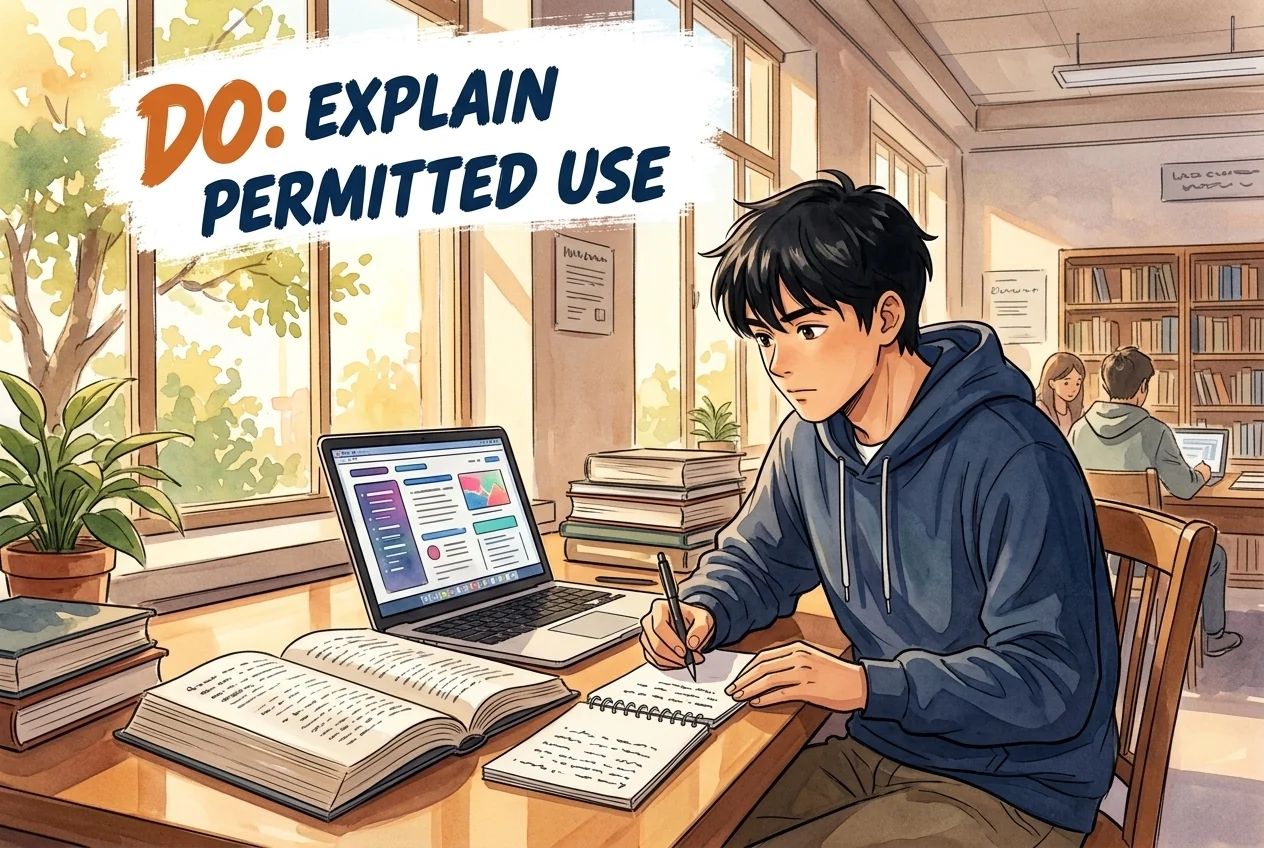
Do
- Read the brief; ask when unclear.
- Keep prompt records and add a GenAI statement.
- Check current guidance and the dated annex separately.
Reading, United Kingdom
Student guide · Task scope and procedure
Current guidance separates independent, supported and integrated tasks, including a critical-review alternative. Supported tools and assessment categories differ; the 2023 annex remains dated.
A complete student policy summary is not available yet; see the collected claims and sources.
Current guidance separates independent, supported and integrated tasks, including a critical-review alternative. Supported tools and assessment categories differ; the 2023 annex remains dated.


Supplement collected: 2026-10-09 · Current applicability not independently confirmed
Site interpretation
Current student guidance distinguishes Independent work without GenAI, optional AI-supported work in the student’s own words, and AI-integrated work assessing AI literacy. Integrated work can use public outputs for critical review on ethical grounds. Silence in the brief means Category 1; ask the lecturer if unclear.
Scope: Students in the cited programme/course/stage only · Only the captured source, version, audience and conditions; no exhaustive currency certification.
Scope: Students in the cited programme/course/stage only · university
Category 3 critical-review alternative preserved; labels can be replaced by specific task instructions.
The three assessment categories
To help you know when you are, and are not, allowed to use GenAI in your assessments the University has devised a category for assessments which will be incorporated into your assignment briefs:
Category 1: Independent work
What this means for you: You must demonstrate your own knowledge and skills without GenAI assistance.
Typical assessment formats: Usually any assessment you do in-person, where its invigilated / supervised e.g. exams, vivas, practical lab tests
Category 2: AI-supported
What this means for you: It is completely your choice whether you use GenAI to support completion of your assessment. For example you could use GenAI to brainstorm, plan or refine, but the final submission must be in your own words and GenAI use is not assessed.
Typical assessment formats: Usually any assessment you do on your own (i.e. coursework) - essays, reports, design projects.
Category 3: AI-integrated
What this means for you: Demonstrating AI literacy is part of the grade.
You can choose either:
Active use – create your own prompts, iterate, and explain why you accepted or rejected the tool’s responses, or
Critical review – if you prefer not to generate content on moral / ethical grounds, you may work with GenAI outputs that are already publicly available and focus on analysing their reliability, bias, and fitness for purpose.
Typical assessment formats: Same as Category 2 (e.g., reports, reflections, presentations, code notebooks), but with an added criterion that evaluates how well you use or critique GenAI and articulate its limitations, risks, and value.Purposeful GenAI use is required and assessed (e.g. quality of prompts, critical evaluation of outputs).
If the assignment brief says nothing about GenAI, assume its Category 1.
If anything is unclear or conflicting in your assignment brief, ask your lecturer before you start the assignment.
Lecturers might describe how and where you may use a tool instead of naming a category. When in doubt, map their description onto the categories above - or ask them for clarification.View official source ↗Collected: 2026-10-09 · 33–49
SHA-256: 89c1f3a7fb3123aeabd8b76e66beb4b93c6fe2d060daad62985c918f1daa4729
Site interpretation
Include a GenAI-use statement at the end or on the coversheet; keep prompt/output files, check facts and references, and add your own analysis. Do not copy large unedited chunks, rely on invented references, or enter personal/sensitive data.
Scope: Students in the cited programme/course/stage only · Only the captured source, version, audience and conditions; no exhaustive currency certification.
Scope: Students in the cited programme/course/stage only · university
Remember to include a GenAI use statement at the end of your work or on the coversheet.
Writing your GenAI use statement
Place a short note at the end of your work or on the coversheet. For example:
"I used ChatGPT 4o (https://chat.openai.com/) to brainstorm an outline and to suggest clearer wording for two sentences in Section 2. No AI‑generated text is presented as my own work."
Responsible GenAI use
Some do's and don'ts for using GenAI responsibly in your studies:
Do
Don't
- Double‑check facts and references
- Keep screenshots or files of your prompts & AI outputs
- Paraphrase and add your own analysis
- Add a GenAI Use Statement
- Copy‑paste large chunks unedited
- Rely on AI‑generated references (“hallucinations”)
- Enter personal or sensitive data
- Hide or downplay your GenAI useView official source ↗Collected: 2026-10-09 · 50–65
SHA-256: 89c1f3a7fb3123aeabd8b76e66beb4b93c6fe2d060daad62985c918f1daa4729
Site interpretation
DTS supports freely available Microsoft 365 Copilot Chat. Other GenAI tools may be used subject to task rules but receive no DTS troubleshooting. DeepSeek is blocked and must not be used on university devices or networks.
Scope: Students in the cited programme/course/stage only · Only the captured source, version, audience and conditions; no exhaustive currency certification.
Scope: Students in the cited programme/course/stage only · university
Supported/permitted-unsupported/prohibited service categories are not the assessment categories.
Which GenAI tools can I use at university?
Supported: Digital Technology Services (DTS) can only provide technical help for Microsoft 365 Copilot Chat - this is freely available, and uses the same AI model as ChatGPT.
Permitted but unsupported: You may use other GenAI tools, such as OpenAI ChatGPT, Google Gemini etc, and similar services - but DTS can’t offer any troubleshooting for them.
Not permitted: DeepSeek is blocked and must not be used on University devices or networks.View official source ↗Collected: 2026-10-09 · 29–32
SHA-256: 89c1f3a7fb3123aeabd8b76e66beb4b93c6fe2d060daad62985c918f1daa4729
Site interpretation
The current CQSD page identifies a policy approved in August 2026; its student-facing guidance links to Essentials. The August policy expects acknowledgement of substantive AI contributions and keeps students accountable. The separately captured September 2023 annex has older appendix-based disclosure wording and is retained as dated, not silently merged into the current short statement.
Scope: Students in the cited programme/course/stage only · Only the captured source, version, audience and conditions; no exhaustive currency certification.
Scope: Students in the cited programme/course/stage only · university
2023 annex current applicability not independently certified.
This page is regularly updated. Please revisit this page when seeking advice and avoid making local copies that may become out of date.
Our position
The University's current position is set out in Preparing Students for an AI-Enabled World: University Policy Statement on Artificial Intelligence in Teaching, Learning and Assessment, approved by the University Board for Teaching, Learning and Student Experience (UBTLSE) in August 2026.
The statement is guided by the principle People first. AI second. AI may support learning, creativity and achievement, but it should not replace disciplinary knowledge, critical thinking, human judgement, originality, communication or collaboration.
The University's approach is neither to promote AI uncritically nor to discourage its use. Instead, we support informed, evidence-based and proportionate engagement that reflects disciplinary contexts, professional expectations and the diverse needs and perspectives of students and staff.
Guidance and resources
GenAI guidance for staff
GenAI Guidance for Staff supports colleagues in understanding GenAI tools, using them safely and responsibly, and designing teaching and assessment in ways that protect learning, academic standards and student trust.
GenAI in assessment and feedback
The GenAI in Assessment and Feedback page brings together guidance on assessment design, student use of GenAI in assessment, declarations and acknowledgement, academic integrity, and the University's interim approach to GenAI-assisted marking and feedback.
Data protection, security and approved tools
Staff must follow University guidance on data protection, information security and approved tools when using AI. Personal data, student work, confidential material, unpublished assessment content and sensitive University information must not be entered into unsupported or unapproved AI tools unless University guidance explicitly permits this.
Please refer to Information Management and Policy Services (IMPS) guidance on Data Protection and AI.
Student-facing guidance
Student-facing guidance is available through Essentials and Study Advice. These pages explain how students may use GenAI tools in learning and assessment, how to acknowledge use, and where to seek advice if assessment instructions are unclear.
Using Gen AI in your assessments
Using Generative AI tools at UniversityView official source ↗Collected: 2026-10-09 · 72–88
SHA-256: ad28f216bcc8044b9257535087255bd4b886320cd5a688ea08bc7e447aff19ba
Transparency builds trust
The University expects the use of AI by both students and staff to be transparent
where this is necessary to maintain academic integrity, educational trust and
professional confidence.
Where AI has contributed substantively to assessed work, teaching materials or other
public-facing educational outputs, its use should be acknowledged appropriately in
accordance with University guidance and/or instructions given in assignment briefs.
Transparency enables informed judgement and reinforces confidence in academic
work.
Responsible innovation considers environmental impact.
Decisions about the adoption and use of AI should be proportionate to their
educational purpose and informed by consideration of their environmental
consequences alongside pedagogic, ethical and practical factors.
Academic standards remain paramount
The University will maintain the academic standards of its awards and ensure that
assessment remains a valid and reliable means of evaluating student achievement.
©University of Reading 2026 Thursday 13 August 2026 Page 3
Students remain responsible for the work they submit, regardless of any use of AI
technologies.View official source ↗Collected: 2026-10-09 · 124–153
SHA-256: bdd03dc8e624321509e86077039e5e91dab48edd2b550d533dbb42a5b68e6f95
Acknowledgement
Where Generative AI tools have been authorised by the School for a particular assignment, in order to
maintain good academic practice and fairness in assessment, students must acknowledge when they have
used Generative AI technologies in the development of their work. This includes acknowledging how and
when they have used the Generative AI tools. Normally, such a statement should name each Generative
AI tool used (providing a url for the tool) a description of each of the prompts or questions used, and all the
1 www.reading.ac.uk/cqsd/-/media/project/functions/cqsd/documents/qap/position-statement-on-gait.pdf
2 Including Reconsidering assessment for the Chat GPT era: QAA advice on developing sustainable
assessment strategies
©University of Reading 2023 Friday 22 September 2023 Page 1
Annex 1: Generative Artificial Intelligence (AI) Tools, Academic Integrity and Academic Misconduct
outputs generated. It is each student’s responsibility to make it clear the extent and how a Generative AI
tool has been used.
The acknowledgement should be included as an appendix at the end of the work. Schools might want to
adopt the following format to standardise acknowledgements:
• Prompts used with <insert name of AI tool>: <provide a list of prompts used>
• Output generated: <include a copy of the outputs generated>
Students should check with their School to see if there is a standard format in use. If no standard format
has been adopted the student should detail the information noted above.
If no acknowledgement is appended to the assessment, it will be assumed that Generative AI tools have
not been used in the creation of the work. In such cases, if the School suspects that the outputs from
Generative AI tools have been used the student would be investigated under the terms of the Academic
Integrity and Academic Misconduct policy.View official source ↗Collected: 2026-10-09 · 41–71
SHA-256: 86257692c906b9e3dd343450b6f0fb73972972d074e16b6ea40de94138263759
Site interpretation
The August 2026 policy says AI approaches should remain inclusive and avoid unnecessary barriers from unequal access, digital confidence or legitimate preferences about AI use. This is a policy commitment, not an individual accommodation automatically granted.
Scope: Students in the cited programme/course/stage only · Only the captured source, version, audience and conditions; no exhaustive currency certification.
Scope: Students in the cited programme/course/stage only · university
AI should enhance inclusion, not create barriers
The University recognises that AI may create opportunities to enhance accessibility,
personalise learning and support student success.
At the same time, approaches to AI should remain inclusive and should not create
unnecessary barriers arising from unequal access, differing levels of digital
confidence or legitimate differences in individual preferences regarding AI use.View official source ↗Collected: 2026-10-09 · 168–175
SHA-256: bdd03dc8e624321509e86077039e5e91dab48edd2b550d533dbb42a5b68e6f95
Published source-based additions. English summaries and original-language quotations are shown separately from the reviewed record. These are possible processes and outcomes, not automatic penalties for AI use. Present applicability has not been independently confirmed; check the source scope and version.
Source-text comparison; not an official translation
Hashes allow comparison of saved content; they do not certify current validity or immutability. These topics are not a mandatory sequence.
Tool access is not permission to use AI in an assessment. Check your assignment rules, eligible users and data restrictions.
Archived tool record; consult the official source for current access.
Original quotation
University of Reading student guidance says DeepSeek is blocked and must not be used on University devices or networks.Original quotation
DeepSeek is blocked and must not be used on University devices or networks.Freely available and technically supported by DTS. Other permitted tools receive no DTS troubleshooting; DeepSeek is prohibited on university devices/networks. Task categories and data rules remain separate.
Follow Reading DTS institutional access instructions.
Freely available according to the student page.
Supplement source review date:
Original quotation
Which GenAI tools can I use at university?
Supported: Digital Technology Services (DTS) can only provide technical help for Microsoft 365 Copilot Chat - this is freely available, and uses the same AI model as ChatGPT.
Permitted but unsupported: You may use other GenAI tools, such as OpenAI ChatGPT, Google Gemini etc, and similar services - but DTS can’t offer any troubleshooting for them.
Not permitted: DeepSeek is blocked and must not be used on University devices or networks.Reviewed record
7 reviewed claims
Academic Integrity
Normalized value: GenAI misuse is a form of cheating
Original evidence
Evidence 1The misuse of Generative AI is a form of cheating.
Academic Integrity
Normalized value: silent assignment brief means assume Category 1
Original evidence
Evidence 1If the assignment brief says nothing about GenAI, assume its Category 1.
Academic Integrity
Normalized value: check module convenor before using GenAI for assessed work
Original evidence
Evidence 1For assessed work, you should always first check with the module convenor whether use of Generative AI is permitted.
Privacy
Normalized value: M365 Copilot Chat should not be used with personal or personal sensitive data
Original evidence
Evidence 1you should not use it for any data set containing personal or personal sensitive data.
Ai Tool Treatment
Normalized value: {"tool":"microsoft_copilot","rawToolName":"Microsoft 365 Copilot Chat","description":"University of Reading DTS supports and recommends Microsoft 365 Copilot Chat for day-to-day work.","howToObtain":"Use the freely available Microsoft 365 Copilot Chat service.","costToUser":"Freely available according to the cited University page.","availability":"allowed","endorsementType":"officially_endorsed"}
Original evidence
Evidence 1Digital Technology Services can only provide technical help for Microsoft 365 Copilot Chat. It is freely available.
Localized display only
Digital Technology Services can only provide technical help for Microsoft 365 Copilot Chat. It is freely available.
Original evidence
Evidence 2Microsoft Copilot Chat is recommended for day-to-day use at work, and DTS will provide basic support to colleagues with using it.
Localized display only
Microsoft Copilot Chat is recommended for day-to-day use at work, and DTS will provide basic support to colleagues with using it.
Ai Tool Treatment
Normalized value: three GenAI assessment categories: Category 1 prohibited; Category 2 permitted to aid development of the assessment; Category 3 encouraged and evaluated
Original evidence
Evidence 1Category 1 prohibits any GenAI use; Category 2 permits GenAI as a tool to aid development of the assessment; Category 3 actively encourages and evaluates GenAI use.
Ai Tool Treatment
Normalized value: DeepSeek blocked on University devices and networks
Original evidence
Evidence 1DeepSeek is blocked and must not be used on University devices or networks.
Source record
7 sources
reading.ac.uk
reading.ac.uk
reading.ac.uk
reading.ac.uk
reading.ac.uk
libguides.reading.ac.uk
reading.ac.uk
Citation: University AI Policy Tracker. "University of Reading AI Policy Tracker record." Last checked July 19, 2026. https://eduaipolicy.org/universities/university-of-reading
Original university source language remains canonical. This tracker is not an official university statement.
Open change logSaved from University AI Policy Tracker. This record summarizes the cited sources; it is not an official university statement or assessment permission. Source and review dates are listed above. Hashes identify retained content, not authorization.