Co robić
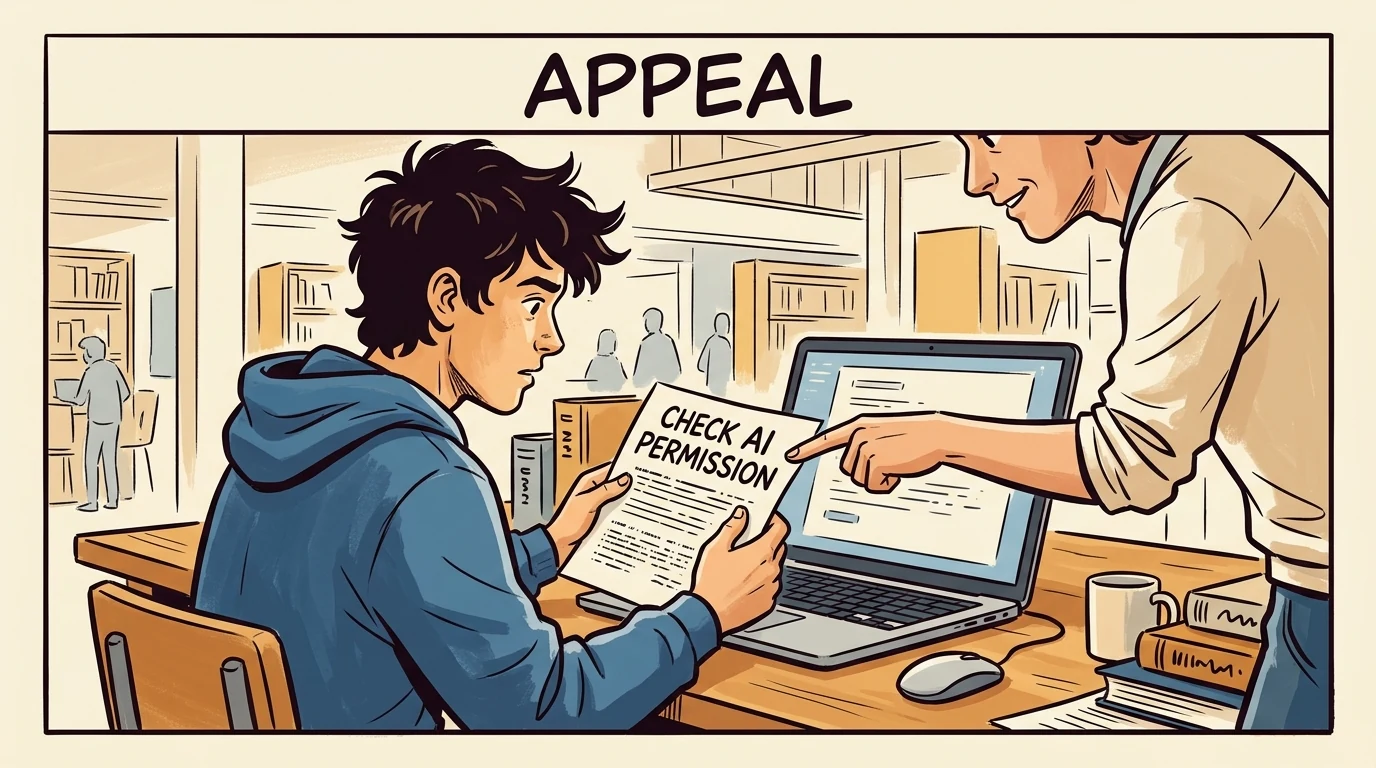
- Check express permission for academic documents and assessments.
- Check the decision letter’s issue date and appeal level.
- Consult a sanctioned advocate or Ombudsperson.

Toronto, Canada
Student guide · Task scope and procedure
Fall 2026 Policy 60 covers AI in academic documents, including appeals. First and further appeals use decision-letter issue dates; protected Google tools still accept only appropriate public or low-sensitivity information.
Poniższe wskazówki są po angielsku; oficjalne dowody zachowano w języku oryginału.
Pełne podsumowanie zasad dla studentów nie jest jeszcze dostępne; sprawdź zebrane stwierdzenia i źródła.
Fall 2026 Policy 60 covers AI in academic documents, including appeals. First and further appeals use decision-letter issue dates; protected Google tools still accept only appropriate public or low-sensitivity information.

Zebrano uzupełnienie: 2026-10-08 · Aktualne zastosowanie niepotwierdzone niezależnie
Podsumowanie jest obecnie dostępne po angielsku
Interpretacja serwisu
Policy 60 expressly requires permission for wholly/partly AI-created assessed work and for AI in documents submitted for academic purposes, including awards, academic appeals and the Policy 60 process. The captured page shows Senate approval 2 June 2026 and Fall 2026 effectiveness. Advice to prepare an appeal is not permission to have AI write it.
Zakres: Students in the cited programme/course/stage only · Only the captured source, version, audience and conditions; no exhaustive currency certification.
Zakres: Students in the cited programme/course/stage only · university
5.4. withholding or altering academic information, portfolios, essays, transcripts, or documents, including during the admissions process;
5.5. submitting work created in whole or in part by artificial intelligence tools unless expressly permitted by the faculty/contract lecturer, or clinical faculty;
5.6. submitting work that does not reasonably demonstrate your own knowledge, understanding, and performance;
5.7. use of AI, without explicit permission, in documents submitted for academic purposes, including but not limited to awards, academic appeals, and/or the Policy 60 process.Zobacz oficjalne źródło ↗Zebrano: 2026-10-08 · 505–508
SHA-256: 6876cc57ed25e74200a9e1c84d1c961ab19f29b404d18c0b4bd31aa3b58e059d
Policy Number:
60
Current Senate approval Date:
June 2, 2026
Revision Dates:
June 2, 2020, November 3, 2020, May. 28, 2024, June 3, 2025.
Revision effective:
Fall 2026Zobacz oficjalne źródło ↗Zebrano: 2026-10-08 · 167–174
SHA-256: 6876cc57ed25e74200a9e1c84d1c961ab19f29b404d18c0b4bd31aa3b58e059d
Interpretacja serwisu
Use the @torontomu.ca account and only public/low-sensitivity information. Personal, sensitive and confidential information must not be input even under the no-training agreement. CCS can view Gemini prompt histories but not NotebookLM histories and cannot access uploaded files, according to the page. Copyright/IP and licensed-library restrictions remain.
Zakres: Students in the cited programme/course/stage only · Only the captured source, version, audience and conditions; no exhaustive currency certification.
Zakres: Students in the cited programme/course/stage only · university
How your data is protected in Google's AI tools
Open All Close All
How does Google protect my data?
When accessing the Gemini App or NotebookLM using your TMU account, your data is not used or human-reviewed to improve AI models. This feature is covered by the Google Workspace for Education Terms of Service (external link) .
Keep in mind that access to a Google Gemini or NotebookLM account outside of TMU does not fall under these terms of service and therefore any data you enter in an account outside of TMU is subject to review or could be used to improve their AI models.
We recommend that you always confirm you are accessing Gemini or NotebookLM from your TMU account each time you begin a new prompt by clicking your profile picture in the top-right corner. You’ll want this to show your @torontomu.ca email address instead of your personal one. By using your TMU account, you can ensure that your data will not be used to train Google's AI models.
Prior to the release of the Gemini App and NotebookLM at TMU, we conducted privacy and AI impact assessments with the Office of the General Counsel and Board Secretariat, and a security risk assessment with the Office of the Chief Information Security Officer.
Can others at TMU view my prompt history and activities?
Although your activities in the Gemini App and NotebookLM are not public, TMU's Google administrators in Computing and Communications Services (CCS) can view prompt histories in the Gemini App, but not in NotebookLM. Our administrators cannot access any files you upload to either Gemini or NotebookLM. For more on how the university’s technologies are monitored, please visit TMU's Student Computing Guidelines under the "Privacy" section (for students) and TMU’s Electronic Monitoring Policy (for employees).
Responsible use guidelines
Open All Close All
What information is appropriate to share with TMU's Google AI tools?
Each person is responsible for ensuring they don't share inappropriate information with TMU's Google AI tools.
Only public or low-sensitivity information should be input to these tools. Sensitive and confidential information should never be used in prompts, uploaded files or other activities. For help defining what is considered sensitive information, please review TMU’s Information Classification Standard and Handling Guidelines.
Do not upload, input or share any personal information about yourself or any TMU student, faculty or staff member into Google's AI tools. Examples of personal information include any data that is personally identifiable such as protected health information, social insurance numbers, student/staff numbers, birthdates, credit card data, etc. Failure to abide by this guidance may result in a privacy breach and/or non-compliance with privacy legislation.
It isn't appropriate to share copyrighted information nor the intellectual property of others with Google's AI tools, including your students' work and resources provided through the TMU Libraries.Zobacz oficjalne źródło ↗Zebrano: 2026-10-08 · 179–194
SHA-256: 3c987b05a23298d47dbed11733548c1df121797c9fb35d40a90fa7b0ea6365f4
Interpretacja serwisu
TMU offers education Gemini and NotebookLM to employees and students through their TMU Google account. The April 2026 announcement says all TMU Google-account holders can access NotebookLM. These public conditions were reviewed; no personal account activation or student entitlement was tested.
Zakres: Students in the cited programme/course/stage only · Only the captured source, version, audience and conditions; no exhaustive currency certification.
Zakres: Students in the cited programme/course/stage only · university
The Google Gemini App (“Gemini”) and NotebookLM are conversational generative artificial intelligence (GenAI) tools that process information and respond to prompts you provide. While both tools are available to TMU employees and students, they serve different purposes: Gemini is designed for open-ended brainstorming and web-based research, while NotebookLM is grounded specifically in the documents you provide.
Both tools can be used to:
Assist with writing tasks
Summarize documents
Repurpose content for various uses
Support brainstorming and idea-generation
Create resources in various formats, including image, audio and video
TMU's access to the Gemini App and NotebookLM are a safer alternative to other GenAI tools such as ChatGPT or Microsoft Copilot, as it is covered by our Google Workspace for Education Terms of Service (external link) . Your activities will not be used to train Gemini's AI models.
Please note that some functionality is only available to users 18 years of age and older.
Protect TMU data by only using public or low-sensitivity information with Google Gemini. Sensitive and confidential information should never be used in prompts, attached files, or other activities in Gemini.
Copyrighted material and the intellectual property of others should never be used as source materials without consent from the copyright holders.
Gemini's responses are likely to have inaccuracies. You are responsible for reviewing and correcting them before using or sharing them with others.
Begin your journey with (google doc) Generative AI Literacy (external link) and building your (google doc) prompt writing (external link) skills. These are crucial to getting good outputs from generative AI.
About Google's generative AI tools
Unlike a search engine that provides a list of existing websites, these tools use language patterns to build entirely new, conversational answers to your specific instructions. TMU provides access to two options: the Gemini App for open-ended exploration and NotebookLM for focused work with your own documents.
The Gemini App is an ideal tool for brainstorming about broad topics because it creates responses using information from across the public web. In contrast, NotebookLM acts as a focused assistant that helps you find details and make connections using only the specific files and links you choose to provide.
Like other large language models (LLMs) this system can make mistakes, and you are unlikely to get the exact same result twice.
Open All Close All
How do I access Google's AI tools?
After logging into your TMU account, you can access the tools through the following web addresses:
gemini.google.com (external link)
notebooklm.google.com (external link)
You can also access these tools by clicking the Google Apps button in the upper right-hand corner of your TMU Gmail account. Your TMU account should be visible in the upper-right corner upon opening NotebookLM.
By using your TMU account, you can ensure that your data will not be used to train Google's AI models.Zobacz oficjalne źródło ↗Zebrano: 2026-10-08 · 108–131
SHA-256: 3c987b05a23298d47dbed11733548c1df121797c9fb35d40a90fa7b0ea6365f4
Google NotebookLM is now available for all TMU Google accounts
April 28, 2026
To: All faculty and staff
All TMU Google account holders can now use their university Google Workspace account to access the education version of Google NotebookLM, an artificial intelligence (AI) tool designed for analysis, content organization and note-taking.
While the Google Gemini app (external link) (which became available at TMU a year ago) serves as a general prompt-based assistant using publicly-available information from the internet, NotebookLM is designed to work with files and data of your choice.
Key features of NotebookLM
Targeted analysis: You can upload or select specific files from your TMU Google Drive (such as documents, PDFs or videos) or link to websites. NotebookLM only analyzes these selected materials to summarize information, create study guides and answer questions with citations.
Collaboration: The "notebooks" you create in NotebookLM can be shared. You can grant others viewer or editor access to contribute to the sources used and generate content.
You can access the tool at notebooklm.google.com (external link) or by clicking the Google apps button in the upper right hand corner of your TMU Gmail account. Your TMU account should be visible in the upper right corner upon opening NotebookLM.
Protecting TMU dataZobacz oficjalne źródło ↗Zebrano: 2026-10-08 · 99–108
SHA-256: 171777b0342ddb9f1a521c0193c7cfe4acc555a501514c43cadffe63279b1b67
Interpretacja serwisu
The process notifies the student and invites a Facilitated or Non-Facilitated Discussion in a spirit of inquiry. No decision should precede or be communicated during the discussion. Written records are maintained; an approved transcription tool needs all-party consent. A suspicion is not a finding, and this clause supplies no conclusive AI-detector threshold.
Zakres: Students in the cited programme/course/stage only · Only the captured source, version, audience and conditions; no exhaustive currency certification.
Zakres: Students in the cited programme/course/stage only · university
6.3. Notification to student
6.3.1. Students must be notified of a suspicion of academic misconduct in a confidential and timely manner. The notification occurs as part of the registration process and will include an invitation for the opportunity to discuss the matter with the decision maker. Concerns about academic misconduct should be discussed during the scheduled FD/NFD rather than in advance or outside of the formal process. (See Procedures, Sections 1 and 2)
6.3.2. Any evidence that can be shared in advance of the discussion will be made available to the student. While every effort will be made to provide as much information as possible in advance, additional evidence may be presented to the student at the discussion.
6.3.3. Students may not drop a course in which there is a suspicion of academic misconduct. At the start of the process, the Registrar’s Office, will place a DEF on the student’s academic record for the course in which there is an active investigation. If the student drops the course before the DEF is placed, the RO will re-enroll the student. (See Procedures, Section 5)
6.4. Discussion (FD/NFD)
6.4.1. The purpose of a discussion is to allow the decision maker to present the basis for their suspicion and for the student(s) to offer their perspective and answer questions. Discussions are to be carried out in a spirit of inquiry, rather than in an accusatory or adversarial manner. The discussion is a continuation of the preliminary investigation and therefore may result in changes to the nature of the suspected academic misconduct (e.g., the initial suspicion indicated “plagiarism” but the discussion clarified that what had actually occurred was “contract cheating”).
6.4.1.1. If, during an NFD, either party fails to engage in a respectful manner, either party may choose to terminate the discussion and request an FD.
6.4.1.2. If, during an FD, either party fails to engage in respectful manner, the facilitator will intervene.
6.4.2. At a discussion, the decision maker, the student(s) suspected of academic misconduct, and the facilitator (for an FD) will be present. When appropriate, other parties may be present (see Section 11).
6.4.3. No decisions related to the suspected academic misconduct should be made prior to the discussion nor should any decision be communicated during the discussion.
6.4.4. If a student fails to attend the discussion and fails to notify the AIO within 24 hours of the scheduled meeting to provide a reasonable explanation for their absence, the decision maker may proceed without the student’s input. If the decision maker fails to attend the discussion and fails to notify the AIO within 24 hours of the scheduled meeting to provide a reasonable explanation for their absence, the matter will be dismissed. The AIO may make exceptions due to extenuating circumstances.
6.4.5. Discussions are not to be audio or video recorded. A written record of the meeting will be maintained. With the permission of all parties, a university approved transcription tool may be used to create the written record.
In the case of FDs, the AIO will create the record and issue a copy to the student and decision maker.Zobacz oficjalne źródło ↗Zebrano: 2026-10-08 · 292–304
SHA-256: 6876cc57ed25e74200a9e1c84d1c961ab19f29b404d18c0b4bd31aa3b58e059d
Interpretacja serwisu
AIO provides neutral procedural support, students may consult a sanctioned advocate, and the confidential, impartial, independent Ombudsperson can be consulted at any time. Advocacy and tool access do not waive the policy’s express-permission requirement for AI in appeal documents.
Zakres: Students in the cited programme/course/stage only · Only the captured source, version, audience and conditions; no exhaustive currency certification.
Zakres: Students in the cited programme/course/stage only · university
1 International Centre for Academic Integrity (2013)
5. University Resources
5.1. The mandate of the AIO is to ensure that this policy and the accompanying Procedures are carried out in a fair and transparent way, and to provide educational resources to the University community regarding academic integrity and misconduct.
5.1.1. The AIO provides guidance and support to students and decision makers and ensures that these parties are aware of their rights and responsibilities.
5.1.2. The AIO is neutral with respect to decision-making.
5.2. Members of the University community may consult with the AIO regarding any academic misconduct procedure or concern.
5.3. The Office of the Ombudsperson (which is confidential, impartial, and independent) may be consulted at any time.
5.4. Faculty/contract lecturers, clinical faculty may consult with the Faculty Academic Integrity Advisor.
5.5. Students may consult with an advocate (as defined in Policy, Section 3.3).Zobacz oficjalne źródło ↗Zebrano: 2026-10-08 · 263–271
SHA-256: 6876cc57ed25e74200a9e1c84d1c961ab19f29b404d18c0b4bd31aa3b58e059d
5.7. use of AI, without explicit permission, in documents submitted for academic purposes, including but not limited to awards, academic appeals, and/or the Policy 60 process.Zobacz oficjalne źródło ↗Zebrano: 2026-10-08 · 508–508
SHA-256: 6876cc57ed25e74200a9e1c84d1c961ab19f29b404d18c0b4bd31aa3b58e059d
Interpretacja serwisu
Requests for accommodations or scheduling conflict should reach AIO in time and before the scheduled meeting. Without verifiable exceptional circumstances a discussion is not rescheduled; students may present notes, drafts and supporting material. This procedural accommodation route does not grant assessment AI permission.
Zakres: Students in the cited programme/course/stage only · Only the captured source, version, audience and conditions; no exhaustive currency certification.
Zakres: Students in the cited programme/course/stage only · university
2.1. A notification of discussion will be sent to the student, informing them of the basis for the suspicion and advising who will be acting as the decision maker (e.g., their course instructor, DDM, or designate). An updated notification may be issued if relevant details change (e.g., rescheduled discussion, updated decision maker).
2.2. Any requests by students,faculty/contract lecturers, or clinical faculty for accommodations, or to advise of a scheduling conflict, should be communicated to the AIO in a timely manner and in advance of the scheduled meeting. Without verifiable documented evidence of exceptional circumstances, a discussion will not be rescheduled.
2.3. The discussion (FD/NFD) should normally take place within three (3) to five (5) business days of the date of notice. In cases where an external investigator is required, as in the case of suspected academic misconduct in supervised research activities, this timeline may be extended.
2.4. If the decision maker wishes to schedule subsequent discussions to bring forth other information, this should occur as soon as possible and, normally, before a decision is registered. In such cases, the student must be notified that there will be further discussions with no less than two (2) days notice.
3. Discussions: FD or NFD
3.1. Decision makers must be prepared to speak to their suspicion and/or any evidence in support of that suspicion at the discussion (e.g. course outlines, assignment guidelines, similarity reports).
3.2. Students may present rough notes, drafts, or other supporting materials during the discussion, or they can be sent in advance to the AIO (for FDs) and directly to the Decision Maker (for NFDs).Zobacz oficjalne źródło ↗Zebrano: 2026-10-08 · 163–169
SHA-256: f244f726d01b8d3e7e9935ce62252b36df16d3f60517e1bbd85f1ae3976c0789
Interpretacja serwisu
First-level AIC/RAC/GAAC appeals are within ten business days from issue of the decision letter; an eligible further SAC appeal has ten business days from issue of the appeal decision letter. These are issue-date clocks, not receipt clocks. Documented mitigating circumstances may allow late appeals. DW/expulsion recommendations may waive first level and go directly to SAC.
Student · Wymagane w tej procedurze
W podanym terminie. Początek terminu, zakres i wyjątki sprawdź w podsumowaniu oraz oryginale.
Student · Wymagane w tej procedurze
W podanym terminie. Początek terminu, zakres i wyjątki sprawdź w podsumowaniu oraz oryginale.
Zakres: Students in the cited programme/course/stage only · Only the captured source, version, audience and conditions; no exhaustive currency certification.
Zakres: Students in the cited programme/course/stage only · university
11. Appeals and Penalty Hearings
11.1. Students must appeal first to the AIC, RAC or GAAC (as appropriate) and may only appeal further to the SAC on the grounds provided in Policy, Section 14.1 , with the exception of appeals relating to a recommendation of a DW or expulsion, where the student can waive the first level hearing and go directly to SAC.
11.2. Hearings are not open to the public due to privacy and confidentiality issues.
11.3. Hearings are not to be audio or video recorded. No minutes are taken. The decision letter is the only official record of the hearing.
12. Appeals - General Regulations
12.1. Appeals are initiated by students.
12.2. Students have ten (10) business days from the date of issue of the decision letter to submit an appeal to the AIC/RAC/GAAC.
12.2.1. If an appeal is not filed by the deadline, the decision will stand. Where mitigating circumstances exist, and appropriate supporting documentation is provided, the Director of the AIO (or designate, for the AIO), the Registrar (or designate, for the RAC), the Vice-Provost and Dean YSGPS (or designate for the GAAC) or the Secretary of Senate (or designate, for the SAC) may accept a late appeal.
12.3. In specified circumstances a further appeal may be made to the SAC (See Policy Section 14). Students have ten (10) business days from the date of issue of the appeal decision letter to submit an appeal to the SAC.
12.4. Where a full appeal hearing is to be held, if the student fails to attend, the appeal will be withdrawn and no further appeals will be accepted. Where mitigating circumstances exist, and appropriate supporting documentation is provided, the Director of the AIO (or designate for the AIC) , the Registrar (or designate for the RAC), the Vice-Provost and Dean YSGPS (or designate for the GAAC) or the Secretary of Senate (or designate for the SAC) have discretion to reschedule the hearing.
12.5. Students may remain in class and may enroll in courses while their case is under appeal. However, if the assigned penalty is removal from placement, co-op program option, internship, or practicum, the student may not remain in the associated course(s) during the appeal process.Zobacz oficjalne źródło ↗Zebrano: 2026-10-08 · 379–389
SHA-256: 6876cc57ed25e74200a9e1c84d1c961ab19f29b404d18c0b4bd31aa3b58e059d
Opublikowane uzupełnienia oparte na źródłach. Podsumowania angielskie i oryginalne cytaty są oddzielone od sprawdzonego rejestru. Możliwe procedury i wyniki nie oznaczają automatycznych kar za AI. Aktualne zastosowanie nie zostało niezależnie potwierdzone; sprawdź zakres i wersję źródła.
Porównano z zapisanym tekstem; tłumaczenie nieoficjalne
Skróty pozwalają porównać zapisane teksty; nie potwierdzają ich aktualności ani niezmienności. Tematy nie tworzą obowiązkowej sekwencji.
Dostęp do narzędzia nie oznacza zgody na użycie go w ocenianej pracy. Sprawdź zasady zadania, uprawnionych użytkowników i ograniczenia danych.
Zapis archiwalny; sprawdź aktualny dostęp w oficjalnym źródle. Informacje o dostępie i cytaty zachowują język oryginału.
Oryginalny cytat
TMU says the Gemini App and NotebookLM are available to TMU employees and students and that using a TMU account means activities will not be used to train Google's AI models.TMU provides the education version of Google Gemini to all faculty and staff through the TMU Google Workspace account.
Log into Gemini using a TMU Google Workspace account.
Included for eligible TMU users.
Oryginalny cytat
Starting April 29, 2025, all faculty and staff can use their TMU Google Workspace account to access the education version of the Google Gemini appOryginalny cytat
your data is protected under TMU’s core agreement with Google when you log in to Gemini with your TMU credentials.TMU provides the education version of NotebookLM to all TMU Google account holders under its core Google agreement.
Use NotebookLM with a TMU Google account.
Included for TMU Google account holders.
Oryginalny cytat
All TMU Google account holders can now use their university Google Workspace account to access the education version of Google NotebookLMOryginalny cytat
As NotebookLM is part of our Google Workspace service, your data is protected under the university’s core agreement with Google when you log in with your TMU credentials.Oryginalny cytat
TMU says the Gemini App and NotebookLM are available to TMU employees and students and that using a TMU account means activities will not be used to train Google's AI models.TMU enables Zoom AI Companion for all faculty and staff.
Enable AI Companion in individual TMU Zoom account settings.
Included for eligible TMU Zoom users.
Oryginalny cytat
Alongside Gemini, Zoom’s AI Companion is now available to all faculty and staff.Oryginalny cytat
You may choose to enable the AI Companion under your individual Zoom account settings.Reviewed record
Zweryfikowane stwierdzenia: 11
Academic Integrity
Wartość znormalizowana: assessment_ai_use_prohibited_unless_instructor_states_otherwise
Oryginalny dowód
Dowód 1Unless explicitly stated by the instructor, students should assume that using AI to complete assessments is prohibited.
Academic Integrity
Wartość znormalizowana: policy60_misrepresentation_ai_work_unless_permitted
Oryginalny dowód
Dowód 15.5. submitting work created in whole or in part by artificial intelligence tools unless expressly permitted by the Faculty/Contract Lecturer;
Nauczanie
Wartość znormalizowana: ai_detectors_not_currently_endorsed
Oryginalny dowód
Dowód 1AI detectors are not currently endorsed by TMU. If you have concerns about unauthorized use of GenAI by students, contact the Academic Integrity Office for recommendations on how to investigate the concern.
Prywatność
Wartość znormalizowana: google_ai_tools_public_or_low_sensitivity_only
Oryginalny dowód
Dowód 1Only public or low-sensitivity information should be input to these tools. Sensitive and confidential information should never be used in prompts, uploaded files or other activities.
Prywatność
Wartość znormalizowana: do_not_submit_personal_information_without_consent_or_opt_out
Oryginalny dowód
Dowód 1Do not submit anyone’s personal information into GenAI models without consent or ability to opt out and be aware that, in many cases, material uploaded or entered into GenAI tools is used to train future models.
Security Review
Wartość znormalizowana: privacy_ai_impact_assessments_and_security_risk_assessment_conducted
Oryginalny dowód
Dowód 1Prior to the release of the Gemini App and NotebookLM at TMU, we conducted privacy and AI impact assessments... and a security risk assessment with the Office of the Chief Information Security Officer.
Ai Tool Treatment
Wartość znormalizowana: {"tool":"gemini","rawToolName":"Google Gemini Education","description":"TMU provides the education version of Google Gemini to all faculty and staff through the TMU Google Workspace account.","howToObtain":"Log into Gemini using a TMU Google Workspace account.","costToUser":"Included for eligible TMU users.","availability":"allowed","endorsementType":"institutionally_licensed_or_procured"}
Oryginalny dowód
Dowód 1Starting April 29, 2025, all faculty and staff can use their TMU Google Workspace account to access the education version of the Google Gemini app
Widok lokalny only
Starting April 29, 2025, all faculty and staff can use their TMU Google Workspace account to access the education version of the Google Gemini app
Oryginalny dowód
Dowód 2your data is protected under TMU’s core agreement with Google when you log in to Gemini with your TMU credentials.
Widok lokalny only
your data is protected under TMU’s core agreement with Google when you log in to Gemini with your TMU credentials.
Ai Tool Treatment
Wartość znormalizowana: {"tool":"notebooklm","rawToolName":"Google NotebookLM Education","description":"TMU provides the education version of NotebookLM to all TMU Google account holders under its core Google agreement.","howToObtain":"Use NotebookLM with a TMU Google account.","costToUser":"Included for TMU Google account holders.","availability":"allowed","endorsementType":"institutionally_licensed_or_procured"}
Oryginalny dowód
Dowód 1All TMU Google account holders can now use their university Google Workspace account to access the education version of Google NotebookLM
Widok lokalny only
All TMU Google account holders can now use their university Google Workspace account to access the education version of Google NotebookLM
Oryginalny dowód
Dowód 2As NotebookLM is part of our Google Workspace service, your data is protected under the university’s core agreement with Google when you log in with your TMU credentials.
Widok lokalny only
As NotebookLM is part of our Google Workspace service, your data is protected under the university’s core agreement with Google when you log in with your TMU credentials.
Ai Tool Treatment
Wartość znormalizowana: {"tool":"zoom_ai_companion","rawToolName":"Zoom AI Companion","description":"TMU enables Zoom AI Companion for all faculty and staff.","howToObtain":"Enable AI Companion in individual TMU Zoom account settings.","costToUser":"Included for eligible TMU Zoom users.","availability":"allowed","endorsementType":"institutionally_licensed_or_procured"}
Oryginalny dowód
Dowód 1Alongside Gemini, Zoom’s AI Companion is now available to all faculty and staff.
Widok lokalny only
Alongside Gemini, Zoom’s AI Companion is now available to all faculty and staff.
Oryginalny dowód
Dowód 2You may choose to enable the AI Companion under your individual Zoom account settings.
Widok lokalny only
You may choose to enable the AI Companion under your individual Zoom account settings.
Ai Tool Treatment
Wartość znormalizowana: course_instructor_permission_required_by_default
Oryginalny dowód
Dowód 1Unless explicitly communicated by the course instructor, the use of GenAI for coursework is not permitted
Ai Tool Treatment
Wartość znormalizowana: tmu_google_ai_tools_not_used_to_train_models_when_using_tmu_account
Oryginalny dowód
Dowód 1Both tools are available to TMU employees and students... By using your TMU account, you can ensure that your data will not be used to train Google's AI models.
Source record
Źródła: 5
torontomu.ca
torontomu.ca
torontomu.ca
torontomu.ca
torontomu.ca
Citation: University AI Policy Tracker. "Toronto Metropolitan University (formerly Ryerson University) AI Policy Tracker record." Last checked July 19, 2026. https://eduaipolicy.org/universities/toronto-metropolitan-university-formerly-ryerson-university
Original university source language remains canonical. This tracker is not an official university statement.
Otwórz dziennik zmianSaved from University AI Policy Tracker. This record summarizes the cited sources; it is not an official university statement or assessment permission. Source and review dates are listed above. Hashes identify retained content, not authorization.